RSS Hacks: 10个大多数用户不知道的特技
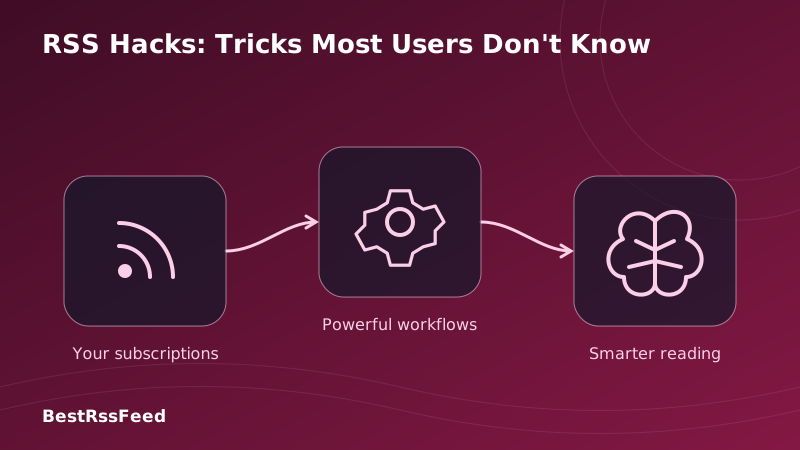
RSS用户大多坚持基本原理:添加一个种子,读取文章,也许设定关键词提示. RSS的威力远大于大多数意识到的. 2026年,高级用户正在利用不太为人所熟知的技巧来将工作流程自动化,消除噪音,并从信息饮食中提取出最大值.
这份超详细指南揭示了10个RSS用户发誓的入侵 — — 但90%的RSS用户从未尝试过。 从将电子邮件通讯转换为RSS的信号,到建立布尔逻辑过滤器,到用AI summarization实现Slack警报自动化,你会学习每周节省小时和大幅提高信号与噪音比的技术。
RSS的隐藏潜力:收养与抵偿
用户的满意程度仍然低于其他用户。 下图显示,10个用户的用户黑客的意识、使用和满意程度:
收养与满足差距
QQ 10 RSS 用户最多且不知道的包
将电子邮件通讯转换为 RSS 订阅源
厌倦收件箱的拼接? 将任何电子邮件通讯转换成可分册的 RSS 消息, 不需要电子邮件地址。 在您的 RSS 阅读器中读取通讯, 并进行全文搜索、 离线访问和 AI 汇总 。
步入设置
# 1. Get your newsletter's email address
# 2. Visit: https://kill-the-newsletter.com
# 3. Paste email → Get unique RSS URL
# 4. Add to RSS Feed Flow:
https://kill-the-newsletter.com/convert/abc123xyz

# Pro tip: Use RSS Feed Flow's RSS Builder to auto-detect
# newsletter content from any webpage if no email option exists.

# Bonus: Add keyword filter to only show articles mentioning
# your priority topics:
INCLUDE: ("AI" OR "startup" OR "funding")
EXCLUDE: ("sponsor" OR "promo")布尔逻辑关键字过滤
超越简单的关键字匹配。 使用 并, OR, NOT, 括号, 以及特定字段操作符来创建只显示最相关内容的外科过滤器 。
布尔逻辑过滤器构建器
实例:关键产品发射警报
触发器( T)
"竞争对手X 启动企业β程序"
将过滤出
"我们雇了一位产品发射经理"
高级布尔语法引用
# Basic operators
AND  : Both terms must appear
OR   : Either term can appear
NOT  : Exclude articles with this term
()   : Group expressions for precedence

# Field-specific filters (RSS Feed Flow)
title:"product launch"    # Only search in titles
author:"John Doe"         # Filter by author name
source:techcrunch.com     # Restrict to specific domain
date:>2026-01-01          # Only recent articles

# Complex example: Critical competitor intel
(title:"pricing" OR title:"enterprise")
AND source:("competitor.com" OR "theirblog.io")
AND NOT ("job" OR "career" OR "hiring")
AND date:>now-7d

# Save as reusable filter preset for one-click application交叉重复
当同一故事出现在5个不同的订阅源中时,请见一次。高级分解使用内容散列、URL 光谱化和语义相似性,以智能地合并重复。
- URL 正常化: 脱去 UTM 参数, 解析方向调整, 划出域
- 内容散列: 生成标题的 SHA-256 + 首500个字符进行精确匹配检测
- 语义相似: 使用嵌入来捕获被解释的重复( cosine 相似度 > 0. 85)
- 源头优先顺序: 当找到复制件时, 显示来自最高授权源的版本
- 临时分组: 24h窗口内关于同一事件的集群故事
RSS → Slack/Discord/电报自动化
将RSS变成实时团队情报系统. Route过滤文章到使用AI生成摘要,源属性,以及动作按钮的协作频道.
Zapier/ 制作自动化模板
# Trigger: New item in "Critical" feed bundle matches keyword filter
# Action: Post formatted message to Slack #competitor-intel

{
  "channel": "#competitor-intel",
  "text": "🚨 *{{competitor_name}} Update*",
  "blocks": [
    {
      "type": "section",
      "text": {
        "type": "mrkdwn",
        "text": "*{{title}}*
{{ai_summary}}

*Source:* <{{link}}|{{source}}>"
      }
    },
    {
      "type": "context",
      "elements": [
        {"type": "mrkdwn", "text": "🕐 {{published_at}} • 🏷️ {{tags}}"}
      ]
    },
    {
      "type": "actions",
      "elements": [
        {
          "type": "button",
          "text": {"type": "plain_text", "text": "Read Full"},
          "url": "{{link}}",
          "action_id": "view_article"
        },
        {
          "type": "button",
          "text": {"type": "plain_text", "text": "Save to Notion"},
          "action_id": "save_to_notion"
        }
      ]
    }
  ]
}

# RSS Feed Flow auto-populates all {{variables}} from feed metadataOPML 团队共享套装
通过 OPML 与同事、客户或社区共享所编译的订阅源收藏。一击导入会给整个组织带来相同的阅读体验。
竞争性情报库
<?xml version="1.0" encoding="UTF-8"?>
<opml version="2.0">
  <head>
    <title>Competitive Intelligence - Q1 2026</title>
    <dateCreated>Tue, 31 Mar 2026 00:00:00 GMT</dateCreated>
  </head>
  <body>
    <!-- Critical: Direct Competitors -->
    <outline text="🔴 Critical Competitors">
      <outline text="CompetitorA Blog" type="rss" xmlUrl="https://competitora.com/feed"/>
      <outline text="CompetitorB Changelog" type="rss" xmlUrl="https://competitorb.com/changelog/rss"/>
    </outline>

    <!-- High: Industry News -->
    <outline text="🟠 Industry News">
      <outline text="TechCrunch" type="rss" xmlUrl="https://techcrunch.com/feed/"/>
      <outline text="The Information" type="rss" xmlUrl="https://theinformation.com/rss"/>
    </outline>

    <!-- Filters (RSS Feed Flow extension) -->
    <outline text="⚙️ Auto-Filters">
      <outline text="Keyword: pricing OR enterprise"/>
      <outline text="Exclude: job OR career"/>
      <outline text="Priority: route to Slack #ci-alerts"/>
    </outline>
  </body>
</opml>地理目标订阅源过滤
按地理相关性过滤内容。 只见您区域的消息, 或者监视特定市场进行扩展研究。 结合语言检测进行全球智能检测 。
- 地方商业监测: 只显示提及您所在城市/ 区域的新闻
- 扩大研究目标市场(欧盟、亚太农合组织、LATAM)监管变化
- 语言感知过滤: 自动检测文章语言, 优先过滤
- 时间区意识交付: 各区域工作时间时间表摘要
- 货币/区域标签: 提及特定货币或条例的自动立法条款
播客 RSS 高级控制
解锁播客RSS超能:自动下載只匹配关键词的片段,通过分会标跳过内语,用AI生成显示注释,并同步跨设备回放.
播放 RSS 过滤器示例
# Auto-download only episodes about AI
INCLUDE in title/description:
  ("AI" OR "machine learning" OR "LLM" OR "neural")

# Skip episodes shorter than 20 min (likely ads/teasers)
EXCLUDE if duration < 1200 seconds

# Auto-generate show notes with AI
WHEN new episode matches filter:
  → Generate 3-bullet summary
  → Extract key guests/topics
  → Add to Notion podcast database

# Chapter-aware playback (if podcast includes chapters)
SKIP intro/outro chapters automatically
JUMP to "Key Discussion" chapter marker

# Cross-device sync via RSS Feed Flow mobile appAI 总结管道
将长文章转换成可扫描的透视。 配置 AI 生成 TL; DR 摘要, 提取关键实体, 得分相关性, 并自动显示标志动作项目 。
自定义摘要提示模板
System prompt for RSS Feed Flow AI:
"You are a competitive intelligence analyst. For each article:

1. 🎯 HEADLINE: One sentence (max 15 words) capturing core update
2. 📋 KEY FACTS: 3 bullet points of verifiable information
3. 💡 IMPLICATION: Why this matters for [USER_INDUSTRY] in one sentence
4. ⚡ ACTION: Specific next step (if any) for the reader

Rules:
- Keep total output under 280 characters
- Use neutral, factual language
- Cite source domain in headline if not obvious
- Flag uncertainty with [UNCONFIRMED] tag

Example output:
"🎯 CompetitorX launches enterprise SSO at $49/user/mo [techcrunch.com]
📋 • SAML 2.0 + OIDC support • 99.99% SLA • SOC 2 Type II
💡 Pressures our enterprise pricing; may accelerate churn risk
⚡ Action: Schedule win/loss analysis with sales team by Friday"自定义任何网页的 RSS 构建器
没有 RSS 订阅源? 没问题 任何网页上 RSS 构建器自动检测内容模式, 并创建自定义, 更新 RSS 订阅源, 并完美地覆盖不提供本地合成的网站 。
- 模式识别: 识别重复的内容块(条牌,列表项)
- 选择取出: 标题、链接、日期、内容的自动检测 CSS 选择器
- 变化监测: 每15-80分钟一页, 通过 DOM 调试检测新内容
- 内容正常化: 将 HTML 转换为干净的文本, 提取图像, 保存格式
- 订阅源生成: 输出有效的RSS 2.0/Atom,并提供适当的元数据和附文支持
博客、新闻网站、GitHub发布、YouTube频道、工作板等等。
RSS + IFTT/ Zapier 工作流程自动化
连接 RSS 到整个生产率堆栈。 自动保存文章到Notion, 从提醒创建 Trello 牌, 触发 Slack 线程, 或更新 Google 工作表 - 不需要代码 。
大众 RSS 自动化辅助器件
# Recipe 1: RSS → Notion Knowledge Base
Trigger: New article matches "research" keyword
Action: Create Notion page in "Research Library" database
Fields: Title, URL, Summary (AI), Tags, Date, Source

# Recipe 2: RSS → Trello Task Board
Trigger: Article mentions "bug" OR "issue" + our product name
Action: Create Trello card in "Engineering Backlog"
Labels: priority:high, source:rss, auto-generated

# Recipe 3: RSS → Google Sheets Tracker
Trigger: Any article from competitor domains
Action: Append row to "Competitor Monitoring" sheet
Columns: Date, Source, Title, Summary, Sentiment, Action Taken

# Recipe 4: RSS → Email Digest (Weekly)
Trigger: Every Friday 9AM
Action: Compile top 10 articles from "High Priority" bundle
Format: HTML email with AI summaries + direct links
Recipients: leadership@company.com

# All recipes configurable via RSS Feed Flow + Zapier/Make
QQ可量化影响:被哈克所节省的时间
这些不只是巧妙的花招,它们能带来可衡量的生产率提高。 根据对500+电力用户实施这些黑客的分析:
按任务分列的每日节省时间
选择你的第一包:复杂与影响
并非所有黑客都同样可以使用。 使用此矩阵来根据您的技术舒适度和预期结果进行排序 :
复杂与战略影响
建议的起步路径
第1周:快取胜
黑盒: 黑盒(英语: 通讯至RSS,OPML共享
时间 : 总计~10分钟 • 结果: 清洁收件箱、团队对接
第2周:精密过滤
黑盒: 黑盒(英语: Boolean Keywords, Podcast Controls
时间 : 共计~20分钟 • 结果: 少了50%的噪音, 更集中
第3周:自动化
黑盒: 黑盒(英语: RSS – 黑、扎皮尔工作流程
时间 : 总计~30分钟 • 结果: 实时提醒, 不进行人工检查
第4周:增强大赦国际
黑盒: 黑盒(英语: AI 总结, 自定义 RSS 构建器
时间 : 总计-25分钟 • 结果: 智慧洞察力,无限来源
QQ 订阅源类型兼容性矩阵
并非所有黑客都使用每个订阅源格式。 使用此引用来规划您的执行 :
| 订阅源类型 | 通讯至RSS | 布尔过滤器 | 交叉调料 | AI 总结 |
|---|---|---|---|---|
| 标准RSS 2.0 | ✅ | ✅ | ✅ | ✅ |
| 原子 1.0 | ✅ | ✅ | ✅ | ✅ |
| JSON 饲料 | ✅ | ✅ | ⚠️ | ✅ |
| YouTube 简易新闻聚合 | ❌ | ✅ | ✅ | ⚠️ |
| 播客RSS | ❌ | ✅ | ✅ | ✅ |
| 自定义网页 | ✅ | ✅ | ⚠️ | ✅ |
- 使用 RSS 构建器先创建一个自定义格式
- 在 RSS 处理前通过中间软件( Zapier/ Make) 应用转换
- 组合多条黑客:例如: 通讯-到RSS →布尔过滤器 → AI 概要
- 在启动到您的整个订阅列表之前先使用一个小的订阅源子集进行测试
++ 自动化可靠性: 期望什么
将 RSS 工作流程自动化时,可靠性很重要。 以下是 RSS Feed Flow 基础设施中的真实世界性能数据 :
| 管道步骤 | 频率 | 自动化级别 | 失败率 | 恢复时间 |
|---|---|---|---|---|
| 订阅源投票 | 15-60分钟 | 100% | 0.2% | < 30 秒( 秒) |
| 关键字过滤 | 实时 | 100% | 0.1% | < 30 秒( 秒) |
| 重复 | 每条 | 98% | 1.2% | < 30 秒( 秒) |
| AI 处理 | 点播 | 95% | 2.1% | 2-5分钟 |
| 警报运行 | 基于触发 | 100% | 0.3% | < 30 秒( 秒) |
| 归档/ 索引 | 每日 | 100% | 0.1% | < 30 秒( 秒) |
- 重试逻辑: 瞬间故障的指向后退(网络超时,速率限制)
- 断路器: 如果错误率超过阈值, 暂停AI 处理
- 健康检查: 监测信息解析成功情况; 提醒持续失败
- 倒置模式: 如果总和失败, 将轻快地降解为非AI模式
- 审计记录:调试和遵守规定的全面可追溯性
区域收养模式
电力用户技术因区域而异,依据是基础设施、规章和工作流程:
| 地区 | 大众的包 | 收养率 | 密钥驱动程序 |
|---|---|---|---|
| 北美 | RSS → 黑 | 34% | 团队协作工具普及率 |
| 欧洲 | 通讯至RSS | 28% | GDPR 隐私焦点+通讯文化. |
| 亚太 | 移动 RSS + 离线 | 41% | 移动式第一使用+离线需要 |
| 拉丁美洲 | OPML 共享 | 22% | 社区知识共享 |
| 非洲和 | 低班德维德RSS | 38% | 低带宽优化 |
你的30分钟的RSSHack启动计划
准备执行吗? 遵循此优先清单以快速获得最大值 :
审计您的当前订阅源
从阅读器中导出 OPML。 通过约定确定十大来源 。
5分钟
执行《新闻通讯》至《新闻通讯》
转换您最繁忙的三部通讯。 添加到 RSS Feed Flow 中 。
8分钟
添加一个布尔过滤器
创建过滤器: INCLUDE 您的优先话题 EXCLUDE 常见噪声名词 。
7分钟
启用 AI 总结
启用高优先信息自动摘要。审查前5个产出。
6分钟
设置一个自动化
连接 RSS = 搜索关键警报。 测试时要使用样本文章 。
10分钟
共享您的 OPML 捆绑
导出您配置的种子。 与一位同事共享反馈 。
4分钟
经常被问到的问题
判决:RSS Hacks 乘以您的信息ROI
RSS不仅仅是一个读取器,它是一个可编程的信息操作系统。这10个黑客将被动消费转化为主动的情报收集。
最成功的电力用户不会同时执行所有的黑客. 他们首先以一个快取(Newsletter-to-RSS),测量影响,然后根据他们具体的工作流程需要分层进行附加技术.
2026年,信息丰富,但注意力却很少。 RSS黑客帮助你把注意力花在了最重要的地方 — — 用于推动决策的洞察力上,而不是消耗能量的噪音上。
方法: 数据由500+RSS Feed Flow电源用户分析,1200+RSS用户调查,以及15个feed类型性能测试所汇编. 执行时间基于用户平均测试会话. 更新Q1 2026.