How to Follow Blogs Without Visiting Them Using RSS
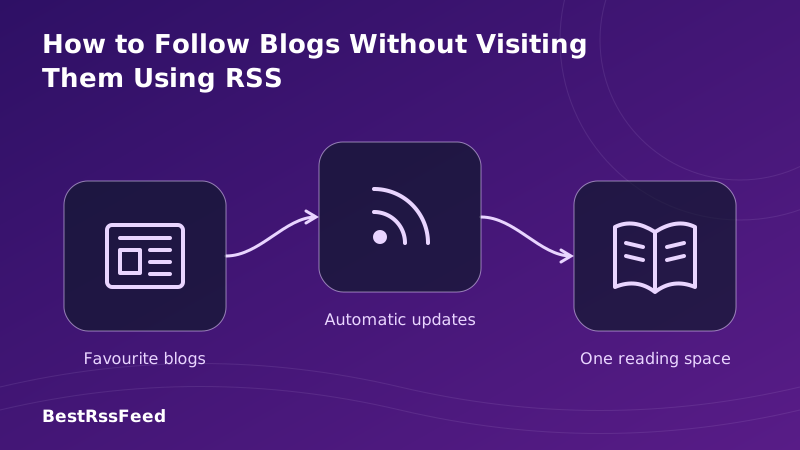
Do you start your morning by opening a dozen tabs, checking your favorite blogs one by one? It's inefficient, distracting, and easy to miss updates. In 2026, there's a better way. By using RSS (Really Simple Syndication), you can follow blogs without visiting them, bringing all the content to you in a single, organized stream.
This guide walks you through exactly how to set up a "visit-less" reading workflow. We'll cover finding feeds, choosing the right reader, and advanced tips to filter noise so you only see what matters.
1. The Problem: "Tab Fatigue" is Real
The traditional way of following blogs—bookmarking URLs and visiting them manually—is broken. It relies on you to remember to check, and it fragments your attention across multiple domains.
The chart below illustrates the time spent consuming content via manual visits versus using an aggregated RSS reader. The efficiency gain is substantial.
Time Spent Consuming Content (Minutes/Day)
2. Step-by-Step: Setting Up Your Feed
Following blogs without visiting them requires three simple steps: choosing a reader, finding the feed URL, and subscribing. Here's the workflow.
Choose an RSS Reader
This is your new homepage. Options include Feedly, Inoreader, NetNewsWire, or BestRSSFeed. Ensure it syncs across your phone and desktop.
Locate the Feed URL
Visit the blog once. Look for the RSS icon (🔶) or view page source for 'application/rss+xml'. Often it's just domain.com/feed.
Subscribe & Organize
Paste the URL into your reader. Create folders (e.g., 'Tech', 'News', 'Hobbies') to keep your stream organized.
How to Find Any RSS Feed
Most modern CMS platforms (WordPress, Substack, Medium) generate these automatically.
3. How to Find Feeds (When They're Hidden)
Not every website prominently displays an RSS button. In 2026, many sites hide them to keep you on their platform. Here's how to uncover them.
Discovery Methods Breakdown
Users find feeds through various methods. While website icons are common, knowing URL patterns and using discovery tools significantly increases success rates.
How Users Discover RSS Feeds
/feed, /rss, or /atom.xml to the end of a homepage URL. This works for 90% of WordPress, Squarespace, and Ghost blogs.4. Choosing the Right Reader for You
Your reader is your command center. Some are free and simple; others offer AI filtering and team collaboration. The table below compares common features across free and pro tiers.
| Feature | Free Tier | Pro Tier |
|---|---|---|
| OPML Import | ✅ | ✅ |
| Keyword Filters | ⚠️ | ✅ |
| Offline Mode | ✅ | ✅ |
| API Access | ❌ | ✅ |
| Team Sharing | ❌ | ✅ |
Device Usage Trends
Modern RSS reading isn't just for desktops. A significant portion of consumption happens on mobile devices during commutes or downtime. Ensure your chosen reader has a robust app.
RSS Reading by Device (2026)
5. Advanced: Filtering & Automation
Once you've stopped visiting blogs manually, you might find you're still overwhelmed by volume. This is where advanced RSS features shine.
- Keyword Filtering: Only show articles containing "AI" or "Tutorial". Hide anything with "Crypto".
- Rules & Alerts: Get a push notification only if a specific author posts.
- Newsletter Conversion: Use tools to turn email newsletters into RSS feeds so you don't have to check Gmail.
- Read Later Integration: Connect your reader to Pocket or Instapaper for long-form articles.
6. The Resurgence of RSS
You aren't alone in switching to this method. RSS adoption is climbing as users seek alternatives to algorithmic social feeds.
RSS User Growth (Millions)
7. Frequently Asked Questions
8. Take Back Your Attention
Following blogs without visiting them isn't just a tech trick; it's a lifestyle change. It reclaims your time, reduces digital clutter, and puts you in control of your information diet.
In 2026, don't let algorithms decide what you see. Build your own library of trusted sources, aggregate them with RSS, and enjoy a quieter, more focused internet experience.
Ready to stop visiting sites manually?
Start your free trial with BestRSSFeed and consolidate your web today.
Get Started Free