Common RSS Feed Errors and How to Fix Them
There is nothing more frustrating for a content creator than discovering their RSS feed has gone silent. In 2026, with millions relying on aggregators for news and updates, a broken feed means invisible content. Whether it's a malformed XML tag or a server timeout, RSS errors can silently erode your audience.
This guide covers the most frequent RSS feed errors, why they happen, and exactly how to fix them. We'll walk through validation tools, common syntax pitfalls, and server-side issues to ensure your content reaches every subscriber, every time.
1. The Hidden Cost of Broken Feeds
When an RSS feed breaks, subscribers don't always get an error message—they often just stop seeing your content. The chart below illustrates the correlation between feed uptime errors and subscriber retention over a 30-day period.
Subscriber Retention vs. Feed Errors (30 Days)
As error counts rise, retention drops sharply. By day 30, a persistent feed error can cost you over 25% of your active audience. This isn't just about technology; it's about trust.
2. Top 5 XML Syntax Errors
RSS is built on XML, which is notoriously strict. Unlike HTML, browsers won't "guess" what you meant. Here are the most common syntax violations we see in 2026.
1. Unescaped Special Characters
The ampersand (&) is the most common offender. In XML, & must be written as &. This often happens in URLs within your feed (e.g., ?id=1&sort=asc).
& and replace with &. Most CMS platforms handle this automatically, but custom scripts often miss it.2. Unclosed CDATA Sections
CDATA sections (<![CDATA[ ... ]]>) allow you to include text that shouldn't be parsed. If you forget the closing ]]>, the entire feed becomes invalid.
3. Invalid Characters in Content
XML only allows certain Unicode characters. Control characters (like certain emoji or copy-pasted formatting codes) can break parsers. Ensure your feed is encoded in UTF-8.
3. HTTP & Server-Side Issues
Sometimes the XML is perfect, but the server delivery fails. Aggregators need a 200 OK status code to fetch your feed successfully.
| Error Code | Meaning | Solution |
|---|---|---|
| 404 Not Found | Feed URL moved or deleted | Check permalinks, update redirect rules |
| 500 Internal Error | Server script crashed | Check server logs, increase timeout limits |
| 301/302 Redirect | Feed moved permanently | Update feed URL in all directories |
| 403 Forbidden | Access denied (firewall/auth) | Whitelist aggregator user-agents |
SSL Certificate Expiry
In 2026, most readers require HTTPS. If your SSL certificate expires, secure feed fetches will fail immediately. Set up auto-renewal or monitoring alerts to prevent this.
4. Validation & Debugging Tools
Don't guess—validate. Using the right tools can reduce debugging time from hours to minutes. The chart below compares the average time to resolution using different methods.
Avg. Time to Resolve Feed Errors (Hours)
- W3C Feed Validation Service: The gold standard for XML compliance.
- Feedly Debugger: Shows how a major reader interprets your feed.
- BestRSSFeed Monitor: Automated hourly checks with instant alerts.
5. Content & Tag Requirements
Even valid XML can be rejected if it misses required RSS 2.0 elements. Ensure every <item> contains:
- <title>: Clear, descriptive headline.
- <link>: Permanent URL to the full content.
- <description>: Summary or full content (properly escaped).
- <pubDate>: Valid RFC 822 date format (e.g.,
RSS, 21 May 2024 12:00:00 GMT).
The "Future Date" Problem
Some aggregators will ignore items with a publication date in the future. Ensure your server clock is synchronized via NTP to prevent time-zone mismatches.
The Error Cascade
6. Common Error Matrix
Use this quick reference table to identify symptoms and apply fixes immediately.
| Error Type | Frequency | Severity | Quick Fix |
|---|---|---|---|
| Unclosed CDATA | High | Critical | Close CDATA sections properly |
| Unescaped Ampersands | Very High | Critical | Use & instead of & |
| Invalid Date Format | Medium | High | Use RFC 822 or ISO 8601 |
| Missing <link> Tag | Medium | High | Ensure every item has a link |
| SSL Certificate Expired | Low | Critical | Renew SSL certificate |
| Content-Type Mismatch | Medium | Medium | Serve as application/xml or text/xml |
7. Troubleshooting Workflow
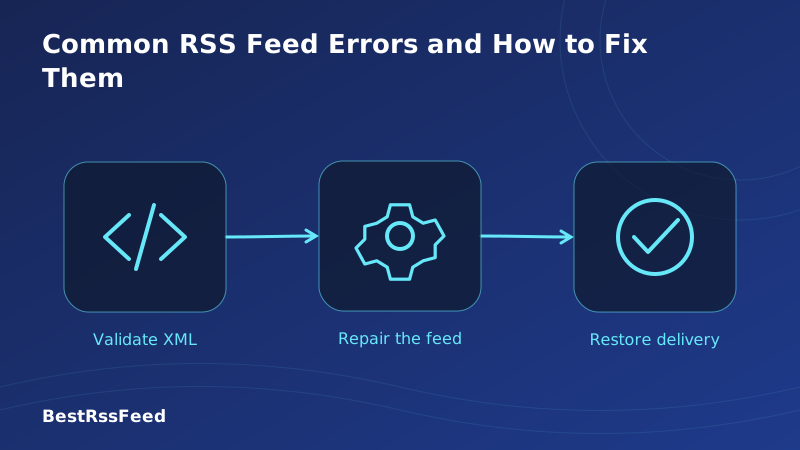
When your feed breaks, follow this step-by-step process to restore service quickly.
Validate the XML
Paste your feed URL into the W3C Validator. Note the line number of any errors.
Check Server Logs
Look for 404, 500, or 403 errors in your access logs around the time aggregators fetch.
Inspect Special Characters
Search for &, <, >, and quotes in your content. Ensure they are escaped.
Verify HTTPS/SSL
Use an SSL checker tool to ensure your certificate is valid and not expiring soon.
Test in Multiple Readers
Try adding the feed to Feedly, Inoreader, and BestRSSFeed to isolate reader-specific issues.
8. How BestRSSFeed Prevents Errors
Manual debugging is reactive. BestRSSFeed makes feed health proactive. Our platform includes built-in monitoring and correction tools designed for 2026 workflows.
- Automated Validation: We check your feed syntax every hour.
- Uptime Monitoring: Instant alerts if your server returns non-200 status codes.
- SSL Expiry Warnings: Get notified 30 days before your certificate expires.
- Fix Suggestions: Our debugger highlights exact line numbers and suggested fixes.
- Fallback Feeds: If your primary feed fails, serve a cached version to keep subscribers happy.
Validation Success Rate by Step
9. Frequently Asked Questions
10. The Verdict: Prevention Is Better Than Cure
RSS remains one of the most reliable ways to distribute content, but only if maintained. In 2026, with the rise of AI scrapers and strict aggregator policies, feed hygiene is more important than ever.
Don't wait for subscribers to complain. Validate your feed today, set up monitoring, and ensure your content flows smoothly to every reader. A healthy feed is a growing audience.