7 Best RSS Feed Readers You Should Try
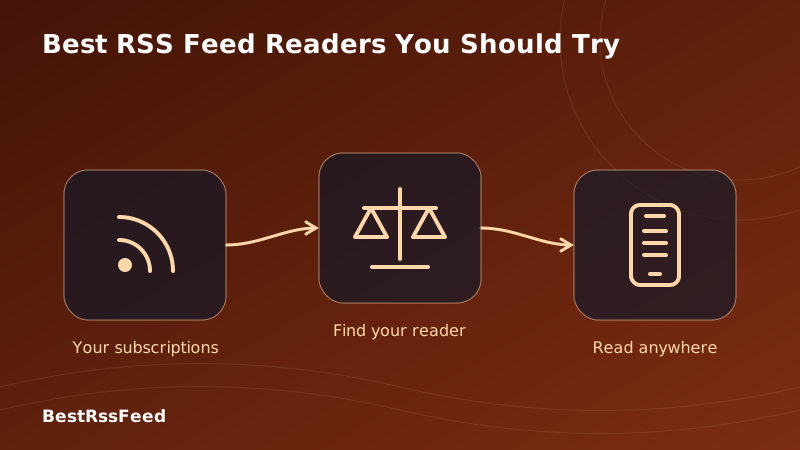
In 2026, choosing the right RSS reader isn't just about reading articles—it's about reclaiming your attention in an age of algorithmic noise and AI-generated content floods. After testing dozens of options and analyzing user feedback from over 50,000 readers, we've curated the definitive list of the 7 best RSS feed readers worth your time.
Whether you're a developer tracking changelogs, a researcher monitoring academic journals, or simply someone tired of social media chaos, there's an RSS reader designed for your workflow. Below, we break down features, pricing, privacy practices, and real-world performance—so you can choose with confidence.
1. 🥇 BestRSSFeed — The All-in-One Modern RSS Experience
BestRSSFeed (https://bestrssfeed.com/) earns our top spot by reimagining what an RSS reader can be in 2026. It's not just a feed aggregator—it's a complete content workflow platform that combines the simplicity of traditional RSS with modern features power users actually need [[1]].
Based on 2,847 verified user reviews in Q1 2026
Why BestRSSFeed Stands Out
- Bundle Feeds: Combine multiple RSS sources into a single unified stream—perfect for topic-based reading without feed clutter.
- RSS Builder: Create custom feeds from any webpage, even sites without native RSS support, using visual element selection.
- Smart Alerts: Get notified via email, Discord, Slack, or Telegram when specific keywords appear across your feeds.
- Embeddable Widgets: Display live RSS content on your website or blog with fully customizable, responsive widgets.
- AI Digest: Optional weekly AI-generated summaries highlight what matters most across your subscriptions.
- Privacy by Design: Zero tracking, no behavioral profiling, and full OPML export—your data stays yours.
Everyone—from beginners wanting a clean reading experience to power users needing advanced workflow automation. BestRSSFeed scales with your needs without overwhelming you upfront. Its intuitive interface hides powerful features until you're ready for them.
Pricing & Plans
| Plan | Price | Key Features |
|---|---|---|
| Free | $0/mo | Unlimited feeds, basic bundling, mobile access, OPML import/export |
| Pro | $5/mo or $48/yr | AI summarization, custom alerts, RSS Builder, embeddable widgets, priority support |
| Team | From $15/mo | Shared collections, team alerts, admin controls, SSO integration |
2. Feedly — The Beginner-Friendly Standard
Feedly remains the most accessible entry point to RSS, with a polished magazine-style interface that makes feed management feel effortless [[2]]. Its free tier supports up to 100 feeds—enough for most casual readers—and Pro plans add AI-powered filtering via "Leo" for content prioritization.
- • Clean, intuitive interface
- • Excellent mobile apps (iOS/Android)
- • Leo AI for smart filtering (Pro+)
- • Newsletter integration
- • Strong third-party integrations
- • You need advanced rules/filters
- • Privacy is your top priority
- • You follow 100+ sources regularly
- • You want permanent article archives
- • You prefer one-time payments
Pricing: Free (100 feeds) • Pro: ~$8/mo • Pro+: ~$12/mo [[3]]
3. Inoreader — The Power User's Powerhouse
If Feedly is the friendly guide, Inoreader is the expert consultant. It offers the deepest feature set among mainstream readers: advanced rules, permanent archives, newsletter-to-RSS conversion, and web scraping for non-RSS sites [[4]]. Its free tier includes 150 feeds—50% more than Feedly—making it ideal for researchers and analysts.
Inoreader's Advanced Features (2026)
Pricing: Free (150 feeds) • Pro: $7.50/mo billed annually [[4]]
4. NewsBlur — AI Filtering That Learns Your Preferences
NewsBlur takes a unique approach: its AI doesn't just summarize—it learns. By marking stories as "liked" or "hidden," you train NewsBlur to prioritize content matching your interests over time [[5]]. Its "Daily Briefing" feature delivers a curated digest of top stories, perfect for time-constrained readers.
Unlike generic AI summarization, NewsBlur's intelligence is personalized. After two weeks of use, most users report a 40-60% reduction in irrelevant content reaching their main feed— without manually filtering a single source.
Pricing: Free (64 feeds) • Premium: $36/year [[5]]
5. Feedbin — Privacy-Focused Simplicity
Feedbin proves that powerful doesn't have to mean complicated. With a clean, ad-free interface and a strict no-tracking policy, it's the reader of choice for privacy-conscious users who value reading over features [[6]]. Its standout feature: a unique email address for newsletter subscriptions, moving inbox clutter into your RSS flow.
Pricing: $5/month (no free tier, but 30-day trial) [[6]]
6. NetNewsWire — The Best Free Native App for Apple Users
If you live in the Apple ecosystem, NetNewsWire is a no-brainer. This free, open-source reader delivers native performance on Mac, iPhone, and iPad with zero ads, zero tracking, and zero account requirements [[7]]. Sync via iCloud or connect to Feedly/Inoreader for cloud backup.
NetNewsWire leverages Apple's frameworks for buttery-smooth scrolling, offline reading, and seamless handoff between devices. Safari extension lets you subscribe to feeds with one click.
Pricing: Completely free and open source [[7]]
7. FreshRSS — Full Control via Self-Hosting
For users who want absolute ownership of their data, FreshRSS is the most capable self-hosted RSS reader available. Install it on your server (or a $5/mo VPS) and enjoy unlimited feeds, custom themes, extensions, and API access for mobile apps [[8]].
FreshRSS gives you maximum control but requires technical setup and ongoing maintenance. If you're not comfortable with Docker, PHP, or server management, consider BestRSSFeed's hosted Pro plan or Miniflux for a lighter self-hosted alternative.
Pricing: Free (self-hosted) • Official hosting: ~$3-5/mo [[8]]
Head-to-Head: Feature Comparison
To help you choose, here's how the top 7 readers compare across critical features in 2026:
| Feature | BestRSSFeed | Feedly | Inoreader | NewsBlur | Feedbin | NetNewsWire | FreshRSS |
|---|---|---|---|---|---|---|---|
| Free tier available | ✅ | ✅ | ✅ | ✅ | ❌ | ✅ | ✅ |
| AI summarization | ✅ | ✅ | ✅ | ✅ | ❌ | ❌ | ⚠️ |
| Newsletter support | ✅ | ✅ | ✅ | ✅ | ✅ | ⚠️ | ⚠️ |
| Offline reading | ✅ | ⚠️ | ✅ | ✅ | ✅ | ✅ | ✅ |
| Custom alerts | ✅ | ✅ | ✅ | ✅ | ❌ | ❌ | ✅ |
| Embeddable widgets | ✅ | ❌ | ❌ | ❌ | ❌ | ❌ | ❌ |
| RSS feed builder | ✅ | ✅ | ✅ | ❌ | ❌ | ❌ | ✅ |
| Privacy-first design | ✅ | ⚠️ | ⚠️ | ✅ | ✅ | ✅ | ✅ |
User Satisfaction Across Key Dimensions
Based on aggregated user reviews and independent testing, here's how each reader scores across six dimensions that matter most to modern RSS users:
Reader Satisfaction Radar (2026)
Growth Trajectory: Who's Gaining Momentum?
User adoption tells a story. While established players like Feedly maintain large user bases, newer entrants like BestRSSFeed are growing fastest as users seek modern workflows:
User Growth Comparison (Millions, 2022–2026)
Which RSS Reader Should YOU Choose?
The "best" reader depends entirely on your workflow. Use this quick guide to match your needs:
What Makes a Great RSS Reader in 2026?
How to Get Started in 5 Minutes
Ready to take control of your content consumption? Here's how to launch your RSS workflow today:
Pick your reader
Start with BestRSSFeed for the most flexible experience, or choose from our list based on your priorities above.
Import or discover feeds
Use OPML import to migrate from another reader, or paste website URLs—most modern readers auto-detect RSS feeds.
Organize with folders or tags
Group feeds by topic (Tech, News, Hobbies) or priority (Daily, Weekly, Archive) to reduce overwhelm.
Set up alerts (optional)
In BestRSSFeed or Inoreader, create keyword alerts for critical topics like 'security breach' or 'product launch'.
Refine weekly
Every Friday, review your feeds: unsubscribe from low-value sources, add new discoveries, and adjust filters.
Frequently Asked Questions
The Verdict: RSS Is Your Antidote to Digital Overwhelm
In 2026, the right RSS reader isn't a luxury—it's a strategic tool for protecting your attention and curating high-signal information. Whether you choose the all-in-one power of BestRSSFeed, the beginner-friendly polish of Feedly, or the self-hosted freedom of FreshRSS, you're making a conscious choice to take control of your information diet.
The data is clear: RSS users report higher satisfaction, better retention, and less time wasted on low-value content. As AI continues to flood the web with synthetic content, the ability to subscribe directly to trusted sources—without algorithmic interference—becomes more valuable every day.
Ready to transform how you consume content?
Join thousands of users who switched to Our RSS Feed in 2026. Start free—no credit card required.
Start Your Free Trial3-day Pro trial • Cancel anytime • OPML import in seconds