How RSS Feeds Protect Your Privacy Online
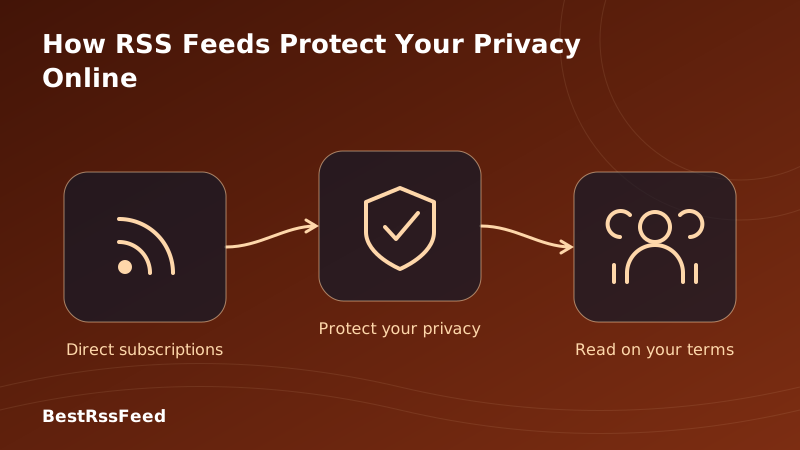
In 2026, browsing the web often feels like walking through a minefield of trackers. Every click is logged, every scroll is analyzed, and your profile is sold to the highest bidder. But there is a quieter, safer way to consume information. RSS (Really Simple Syndication) isn't just about efficiency; it's a powerful tool for digital sovereignty.
This guide explores exactly how RSS protects your privacy, the technical mechanisms behind its security, and how you can maximize anonymity while staying informed.
1. The Tracking Industrial Complex
To understand the value of RSS, you must understand what you're avoiding. Modern websites rely on a complex ecosystem of surveillance. When you visit a news site directly, you aren't just loading text; you're loading an application designed to extract data.
Common tracking mechanisms include third-party cookies, JavaScript fingerprinting, canvas hashing, and pixel trackers. The chart below illustrates the average number of tracking scripts loaded per platform type.
Average Tracking Scripts Loaded Per Session
2. The Technical Privacy Advantage of RSS
RSS works on a pull mechanism. Your reader requests a static XML or JSON file. Once downloaded, the content is rendered locally. This fundamental architectural difference creates several privacy barriers.
No JavaScript Execution
Most tracking relies on JavaScript. RSS readers typically parse text and images only. They do not execute the sophisticated scripts required for fingerprinting your battery level, screen resolution, or installed fonts.
No Persistent Cookies
While the feed host sees your IP address during the fetch (just like any web request), no cookies are stored on your device that can track you across other sites. There is no cross-site scripting (XSS) vulnerability in a standard RSS feed.
The Privacy Gap: RSS vs. Traditional Browsing
Traditional Browsing
- Loads 3rd-party tracking scripts
- Sets persistent cookies
- Fingerprinting via JS
- Sends Referrer headers
RSS Consumption
- No script execution
- No cookies stored
- Static XML/JSON content
- Reader controls connections
3. Privacy Score Comparison
How does RSS stack up against social media and traditional news sites? We scored each method across six critical privacy dimensions. RSS dominates in data protection and user control.
Privacy & Control Radar Chart (0-100 Score)
What Data Is Actually Shared?
The following chart compares the types of data exposed when consuming content via RSS versus other channels. Note that RSS exposes only the minimum required for content delivery.
Data Exposure by Platform Type
4. Threat Modeling: What RSS Protects Against
RSS is not a magic bullet for total anonymity, but it mitigates specific, high-risk threats prevalent in 2026.
| Threat Vector | RSS Protection | Social Media | News Sites |
|---|---|---|---|
| Third-Party Cookies | ✅ Blocked | ❌ Accepted | ❌ Accepted |
| JS Fingerprinting | ✅ Minimal | ❌ Heavy | ❌ Heavy |
| Behavioral Ads | ✅ None | ❌ Core Model | ❌ Common |
| Data Breaches | ✅ Low Risk | ❌ High Risk | ⚠️ Med Risk |
| Account Required | ✅ No | ❌ Yes | ⚠️ Often |
Important: Your RSS reader still makes HTTP requests to fetch feeds. The host server sees your IP address. For complete IP anonymity, use a reader that supports proxying (like some self-hosted instances) or run your reader over a VPN/Tor. However, even with IP logging, the behavioral profiling is impossible without JS.
5. The Rise of Privacy-First RSS Adoption
As privacy regulations like GDPR and CCPA tighten, and users become more aware of data breaches, RSS adoption is surging among privacy-conscious demographics.
Privacy-Driven RSS Adoption Index
6. Best Practices for Maximum Privacy
To leverage RSS for privacy, follow these configuration tips.
Disable Remote Images
Some feeds include tracking pixels in images. Configure your reader to block remote images or proxy them.
Use HTTPS Feeds
Ensure your feed URLs use HTTPS to encrypt the request content between you and the feed host.
Avoid Account-Based Readers
For maximum privacy, use a local reader (e.g., NetNewsWire) or self-hosted solution (e.g., Miniflux) instead of cloud sync services.
Sanitize Content
Use readers that strip unnecessary HTML tags and JavaScript from feed descriptions to prevent XSS attacks.
7. Legal & Compliance Benefits
For businesses, using RSS to distribute content can simplify compliance with privacy laws. Since you aren't collecting user data to deliver the feed, you reduce your liability under GDPR and CCPA.
- No Consent Banners: RSS readers don't trigger cookie consent popups.
- No Data Retention: You don't need to store user reading histories.
- No Right to Deletion: Since you don't track users, you don't need to manage deletion requests.
8. Frequently Asked Questions
9. The Verdict: Reclaim Your Digital Sovereignty
Privacy is not just about hiding; it's about choice. RSS gives you the choice to consume information without being consumed by the surveillance economy. In 2026, where data is the most valuable currency, RSS is your shield.
By switching to RSS, you aren't just changing how you read; you're changing the power dynamic of the internet. You become a participant, not a product.
Start Reading Privately Today
Join the privacy-first movement with BestRSSFeed. Secure, fast, and completely under your control.
Create Private Feed