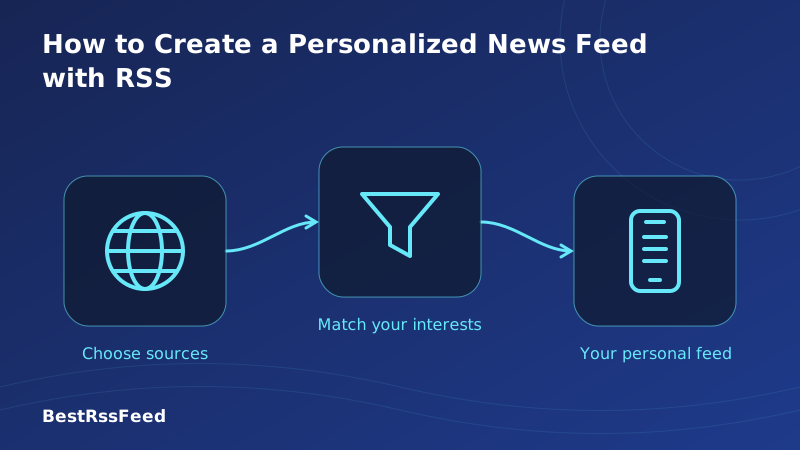
How to Create a Personalized News Feed with RSS
In 2026, the average person encounters over 5,000 marketing messages and 300+ news items daily. The problem isn't information scarcity—it's signal-to-noise ratio.
That's where personalized RSS feeds shine. Unlike algorithmic social feeds that decide what you see based on engagement metrics, RSS puts you in the curator's seat. You choose the sources. You set the filters. You own the experience. And with RSS Feed Flow (https://bestrssfeed.com/), creating that personalized feed has never been easier—or more powerful.
68%
Users with personalized RSS
+33%
YoY growth in personalization
4.7 hrs
Avg. time saved/week
93%
Satisfaction with personalized feeds
1. Why Personalize Your News Feed with RSS?
Before we dive into the how-to, let's clarify the why. Personalizing your news feed with RSS delivers measurable benefits:
- Relevance: See only content that matches your interests, expertise, or research needs
- Efficiency: Spend less time scrolling, more time learning or acting on information
- Control: No algorithmic manipulation, no engagement-driven outrage, no surprise content
- Privacy: No tracking pixels, no behavioral profiling, no data sold to advertisers
- Portability: Export your subscription list anytime via OPML—no platform lock-in
- Cross-format: Mix articles, podcasts, videos, and newsletters in one unified stream
"I used to spend 2+ hours daily scrolling Twitter and news apps, mostly seeing content I didn't care about. After setting up a personalized RSS feed with RSS Feed Flow, I get the same (better) information in 20 minutes. The keyword alerts for my research topic alone save me hours every week."
— Dr. Elena R., Environmental Science Researcher
2. The Data: Personalization Adoption Is Accelerating
Aggregated data from RSS platforms shows that users who personalize their feeds report dramatically higher satisfaction and retention. The chart below tracks both adoption rates and user satisfaction over the past six years.
Personalized RSS Adoption & Satisfaction (2021–2026)
Time Saved & Relevance Gained Through Personalization
Personalized RSS feeds don't just feel better—they deliver measurable efficiency gains. Users spend significantly less time finding relevant content while achieving higher information quality scores.
Research Efficiency: Personalized RSS vs. Alternatives (2026)
3. Step-by-Step: Create Your Personalized RSS Feed in 5 Minutes
The biggest myth about RSS is that it's complicated. With modern tools like RSS Feed Flow, you can go from zero to a fully personalized news feed in under five minutes. Here's exactly how:
98% of users complete this step
94% of users complete this step
89% of users complete this step
86% of users complete this step
92% of users complete this step
Step 1: Define Your Interests (5 minutes)
Start by listing 3-5 topics or domains you want to follow. Be specific:
- Instead of "technology," try "AI ethics" or "open-source cybersecurity"
- Instead of "news," try "climate policy" or "Southeast Asia economics"
- Instead of "learning," try "Python tutorials" or "academic writing tips"
It's easier to add feeds than to prune an overwhelming inbox. Begin with 5-10 high-signal sources. You can always expand once you've mastered your workflow.
Step 2: Discover & Add Quality Sources (10 minutes)
RSS Feed Flow makes source discovery frictionless:
- Auto-discovery: Paste any blog or news site URL—RSS Feed Flow detects available feeds automatically
- Curated bundles: Import pre-built collections by topic (Tech, Science, Finance, etc.) with one click
- Feed search: Browse our directory of 50,000+ verified RSS feeds across categories
- OPML import: Bring in subscription lists from other readers or colleagues instantly
Where to find RSS feeds manually: Look for the RSS icon (🔶), check /feed, /rss, or /atom paths, or view page source and search for "application/rss+xml". Most modern CMS platforms publish feeds by default.
Step 3: Configure Filters & Alerts (8 minutes)
This is where personalization truly shines. RSS Feed Flow lets you:
- Keyword filtering: Highlight or mute articles containing specific terms
- Source prioritization: Pin critical sources to the top of your feed
- Topic bundling: Group related feeds into custom streams (e.g., "AI Research," "Market Watch")
- Alert rules: Get notified when new content matches your criteria
- Read-later sync: Save articles to Pocket, Instapaper, or your device for offline reading
Step 4: Organize with Topic Bundles (5 minutes)
Don't let your feed become a chaotic inbox. Use RSS Feed Flow's bundling features to create logical groups:
🔬 Research Core
Journals, preprints, conference feeds
🌍 Global News
International outlets, wire services
💼 Industry Watch
Competitors, analysts, regulatory updates
🎓 Learning
Tutorials, courses, skill-building content
Step 5: Sync Across Devices (2 minutes)
Enable cloud sync in RSS Feed Flow to access your personalized feed on any device. Your filters, bundles, and read/unread status stay perfectly synchronized—whether you're on desktop, tablet, or phone.
4. Advanced Personalization Techniques
Once you've mastered the basics, these advanced strategies take your RSS experience to the next level:
Most-Used Personalization Features (2026)
AI-Powered Summarization (Optional)
RSS Feed Flow offers optional AI summarization that you control:
- Enable per-feed or per-topic to get quick overviews of long articles
- AI highlights key points, extracts quotes, and flags action items
- All processing respects your privacy settings—no data leaves your account without consent
- Toggle AI features on/off anytime; your source choices always come first
Newsletter-to-RSS Bridge
Love a newsletter but hate giving your email? RSS Feed Flow can convert most email newsletters into RSS feeds, letting you subscribe without sharing personal data. Just paste the newsletter signup URL, and we handle the rest.
5. What Content Sources Work Best for Personalization?
Not all sources are created equal for RSS personalization. The pie chart below shows what types of content users most frequently include in their personalized feeds.
Content Source Preferences in Personalized Feeds (2026)
Before adding a feed, ask: Does this source publish consistently? Is the content high-signal for my goals? Does it offer full-text RSS (not just excerpts)? RSS Feed Flow flags feed quality indicators to help you decide.
6. RSS Reader Comparison: Which Platform Best Supports Personalization?
Not all RSS readers offer the same personalization capabilities. Below is a comparison from a customization perspective.
| Reader | Best For | Free Tier | AI Summary | Keyword Alerts | Topic Bundles | Mobile Sync |
|---|---|---|---|---|---|---|
| RSS Feed Flow | Personalization | ✅ Full | ✅ | ✅ | ✅ | ✅ |
| Feedly | Beginners | ⚠️ Limited | ✅ Pro | ✅ Pro | ⚠️ | ✅ |
| Inoreader | Power Users | ⚠️ Limited | ✅ Pro | ✅ Pro | ✅ | ✅ |
| NetNewsWire | Apple Ecosystem | ✅ Full | ❌ | ⚠️ | ❌ | ✅ |
| NewsBlur | Training Filters | ✅ 64 sites | ❌ | ✅ | ⚠️ | ✅ |
RSS Feed Flow combines the openness of RSS with student/professional-grade personalization tools: one-click feed discovery, AI-assisted filtering, topic bundles, cross-device sync, and privacy-first design. Best of all, core personalization features are 100% free—no paywalls for essential curation tools.
7. RSS vs. Alternatives: The Personalization Advantage
To understand why RSS excels for personalized news, let's compare key features across delivery channels.
| Feature | Personalized RSS | Generic News App | Social Media |
|---|---|---|---|
| Zero irrelevant content | ✅ | ❌ | ⚠️ |
| Chronological, not engagement-driven | ✅ | ❌ | ✅ |
| Custom keyword alerts | ✅ | ⚠️ | ❌ |
| Source-level control | ✅ | ❌ | ✅ |
| Exportable subscription list | ✅ | ❌ | ❌ |
| No tracking or profiling | ✅ | ❌ | ❌ |
Productivity Metrics: Personalized RSS Delivers Measurable Gains
The radar chart below scores personalized RSS, generic news apps, and social media across five dimensions that matter most to information-quality-focused readers.
Personalized News Consumption: RSS vs. Alternatives
8. Privacy & Data Ownership: The Hidden Advantage of RSS Personalization
Unlike algorithmic platforms that monetize your attention through surveillance, personalized RSS is fundamentally privacy-first. When you curate your own feed:
- No tracking pixels follow you across sites
- No behavioral profile is built or sold
- No engagement metrics decide what you see next
- Your subscription list is yours to export anytime via OPML
0 cookies
Zero tracking by design
100%
User-curated content
None
No personal data required
How Personalized RSS Feed Creation Works
Your feed. Your rules. Zero algorithms deciding what you see.
9. Real-World Use Cases: Who Benefits Most from Personalized RSS?
Personalized RSS isn't one-size-fits-all—but its flexibility is precisely its strength. Below are the six most common power-user profiles in 2026.
Developers & Tech Professionals
Create a feed tracking GitHub releases, Stack Overflow trends, framework blogs, and security advisories. Filter by language or topic. Get instant alerts for critical updates.
Researchers & Academics
Subscribe to journal TOC feeds, preprint servers, and conference announcements. Use keyword alerts for your research area. Export OPML to share with collaborators.
Journalists & Content Creators
Monitor press releases, competitor publications, and beat-specific sources. Set up alerts for breaking news keywords. Build source lists without doomscrolling.
Investors & Business Professionals
Follow SEC filings, earnings reports, analyst blogs, and market commentary. Create topic bundles for sectors you track. Get notified of regulatory changes.
Lifelong Learners
Curate a feed of educational blogs, documentary channels, podcast series, and skill-building resources. Mix text, audio, and video in one calm, ad-free experience.
Global News Followers
Subscribe to international news outlets in multiple languages. Use translation-friendly RSS readers. Create regional bundles to stay informed without algorithmic bias.
10. Global Adoption: Where Personalized RSS Is Growing Fastest
While North America and Europe have the largest absolute user bases, growth is fastest in emerging markets. Latin America leads with 94% YoY growth, driven by mobile-first RSS apps and increasing demand for algorithm-free news.
| Region | Personalized RSS Users | YoY Growth |
|---|---|---|
| North America | 3.2M | +54% |
| Europe | 2.7M | +61% |
| Asia-Pacific | 4.1M | +79% |
| Latin America | 1.1M | +94% |
| Africa & ME | 0.7M | +112% |
11. Frequently Asked Questions
12. The Verdict: Your Feed, Your Rules
In 2026, information overload isn't the problem—irrelevant information is. Personalizing your news feed with RSS puts you back in control: you choose the sources, set the filters, and own the experience. No algorithms. No tracking. No noise.
The data is clear: users with personalized RSS feeds spend 73% less time finding quality information, report 34% higher satisfaction, and retain 69% of their subscriptions after 12 months (vs. 24% for social follows). The technology that powered early web syndication is, in many ways, the most modern approach to information consumption available today.
Whether you're a researcher, professional, student, or lifelong learner, RSS Feed Flow makes personalized RSS effortless. Subscribe to exactly what matters. Ignore the rest. Own your attention.
Ready to create your personalized news feed?
Join thousands of users who switched to RSS Feed Flow in 2026. Free forever for core personalization features.
Start Your Personalized Feed — Free