How to Build a Private News Ecosystem Using RSS
In 2026, your attention is the most valuable currency online. Mainstream platforms monetize it by selling your reading habits to advertisers. Building a Private News Ecosystem using RSS is the most effective way to reclaim ownership of your information diet.
This guide walks you through constructing a secure, algorithm-free news consumption system. From choosing privacy-first readers to securing your feeds against tracking pixels, we cover the technical and practical steps to disappear from the data broker economy.
1. What Is a Private News Ecosystem?
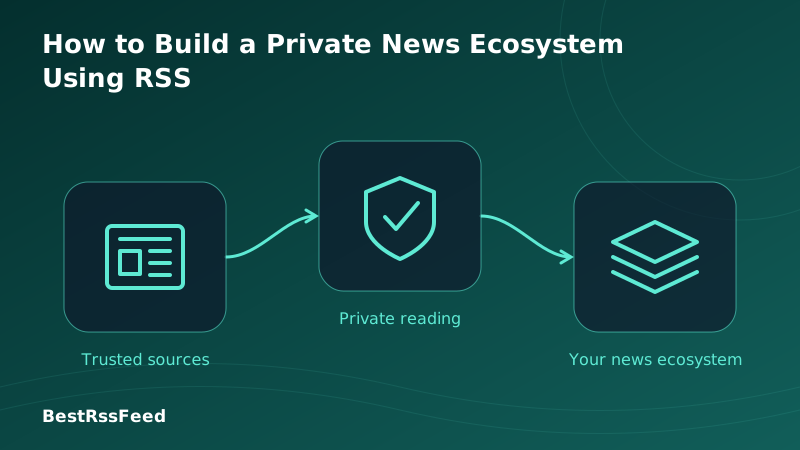
A private news ecosystem is a self-curated information network where you control the sources, the delivery mechanism, and the data. Unlike social media feeds that decide what you see based on engagement metrics, your private ecosystem delivers content chronologically from sources you explicitly trust.
It typically consists of three layers:
- The Sources: Blogs, news sites, podcasts, and newsletters converted to RSS.
- The Reader: A privacy-focused app (self-hosted or secure cloud) that fetches feeds.
- The Security Layer: Tools that prevent tracking pixels and fingerprinting within feed content.
The Private News Ecosystem Architecture
Data flows directly from source to you, bypassing algorithmic intermediaries.
2. Why Privacy Matters in News Consumption
When you read news on social platforms or free aggregators, your behavior is tracked. Which headlines you click, how long you read, and what you ignore builds a psychological profile used for ad targeting or influence operations.
Privacy & Tracking Score by Platform (2026)
3. Choosing Your Reader: Cloud vs. Self-Hosted
The core of your ecosystem is the RSS reader. You generally have two paths: managed cloud services or self-hosted solutions.
Self-Hosted
Maximum privacy. You own the server and data. Requires technical setup (Docker, VPS).
Privacy-Focused Cloud
Balanced approach. Encrypted sync, no ads, paid subscription supports development.
Mainstream Readers
Convenient but data-heavy. Often sell anonymized data or show ads in free tiers.
Top Self-Hosted Options
| Software | Difficulty | Mobile App | Best For |
|---|---|---|---|
| Miniflux | Medium | Yes (3rd party) | Minimalists & Devs |
| FreshRSS | Easy | Yes (Official) | General Users |
| Tiny Tiny RSS | Hard | Yes (3rd party) | Power Users |
4. Step-by-Step Setup Guide
Building your ecosystem doesn't have to be overwhelming. Follow this roadmap to migrate from algorithmic feeds to a private system in one weekend.
Audit Your Current Sources
List the 20 accounts/sites you actually learn from. Ignore the rest. If they don't have a blog or RSS feed, look for alternatives that do.
Select Your Reader
Choose BestRSSFeed for ease-of-use with privacy features, or Miniflux if you have a server and want total control.
Import & Organize
Use OPML files to bulk import feeds. Organize them into folders like 'Tech', 'Finance', 'Local News'. Avoid having more than 50 active feeds initially.
Harden Security
Enable 'Hide Images' or 'Proxy Images' in your reader settings to prevent tracking pixels. Use HTTPS everywhere.
Establish a Routine
Check your reader twice daily (morning/evening). Do not keep it open all day. Treat it like email, not a infinite scroll.
5. Security Best Practices
Even with RSS, some publishers embed tracking mechanisms. Here is how to secure your reader.
Security Features Comparison
| Feature | Standard RSS | Cloud Reader | Self-Hosted |
|---|---|---|---|
| End-to-End Encryption | ⚠️ | ✅ | ✅ |
| No Tracking Pixels | ✅ | ❌ | ✅ |
| Data Ownership | ✅ | ❌ | ✅ |
| Ad-Free Experience | ✅ | ⚠️ | ✅ |
| Offline Access | ✅ | ⚠️ | ✅ |
| Custom Filtering | ⚠️ | ✅ | ✅ |
Key Security Configurations
- Disable Remote Images: Prevents publishers from knowing when you opened an item.
- User-Agent Spoofing: Some readers allow you to change your user-agent to look like a generic bot.
- VPN Usage: If self-hosting, access your server via VPN or Tor Onion service to hide your IP from the server logs.
- Two-Factor Authentication (2FA): Always enable 2FA on cloud readers to prevent account takeover.
6. Efficiency: Time Saved vs. Quality
A private ecosystem isn't just about privacy; it's about efficiency. By removing algorithmic distraction, you consume less content but retain more information.
Weekly Consumption Metrics
7. Maintaining Your Ecosystem
A private news ecosystem requires gardening. Feeds die, sources change, and your interests evolve.
Quarterly Review: Every 3 months, export your OPML. Review which feeds you haven't opened. Unsubscribe from anything that no longer provides value. This keeps your signal-to-noise ratio high.
RSS Tool Adoption Distribution (2026)
8. How BestRSSFeed Supports Privacy
At BestRSSFeed, we understand that privacy shouldn't come at the cost of usability. Our platform bridges the gap between complex self-hosting and invasive cloud readers.
- Tracking Protection: We automatically proxy images to strip tracking parameters.
- Data Export: Full OPML export support ensures you never lose your subscription list.
- No Ad Profiles: We do not build advertising profiles based on your reading habits.
- Encrypted Sync: Your data is encrypted in transit and at rest.
9. Frequently Asked Questions
10. Conclusion
Building a private news ecosystem is one of the most empowering digital decisions you can make in 2026. It returns agency to your attention span and protects your personal data from the surveillance economy.
Whether you choose to self-host on a Raspberry Pi or use a privacy-focused service like BestRSSFeed, the act of curating your own information flow is a declaration of independence from algorithmic control.
Ready to own your information?
Start building your private news ecosystem today with BestRSSFeed.
Start Free Trial