How to Monitor Competitors Using RSS Feeds
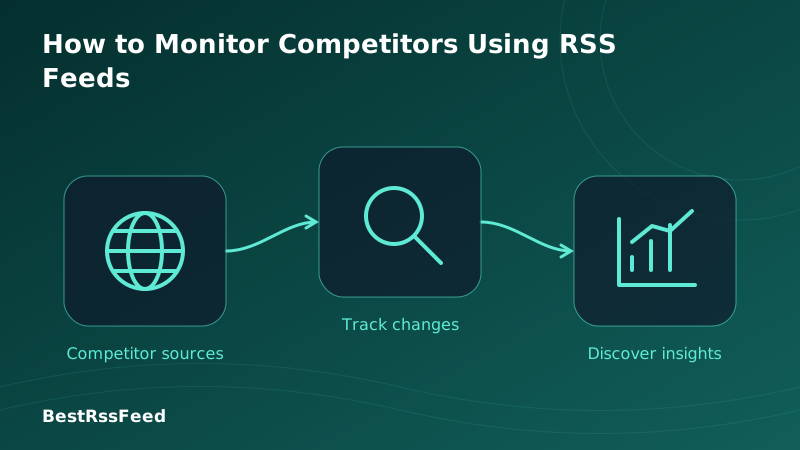
In 2026, competitive intelligence isn't a luxury—it's survival. But manually checking competitor websites, social profiles, and press pages is unsustainable. Enter RSS feeds: the most efficient, privacy-respecting, and automation-friendly method for continuous competitor monitoring.
This comprehensive guide walks you through building a production-grade competitor monitoring system using RSS feeds. From discovering hidden feeds to configuring AI-powered alerts and integrating with your workflow, you'll learn exactly how top teams stay informed without burnout.
1. Why RSS Is the Superior Method for Competitor Monitoring
Before diving into implementation, understand why RSS outperforms alternatives for competitive intelligence:
- Real-time delivery: Feeds update as soon as publishers post—no polling delays
- Zero tracking: No cookies, no fingerprinting, no data leakage to third parties
- Full automation: Machine-readable format enables seamless integration with alerting systems
- Complete coverage: Monitor blogs, press rooms, job boards, changelogs, and more from a single interface
- Cost efficiency: Free protocol; avoid expensive enterprise CI platforms for basic monitoring
- Legal safety: Public syndication format designed for aggregation—no scraping gray areas
Monitoring Method Comparison (Scored 0-100)
2. What Signals Should You Monitor?
Not all competitor content is equally valuable. Prioritize signals based on strategic impact and actionability:
Competitor Signal Types: Frequency vs. Impact vs. Ease
Priority Framework: The 3-Tier System
🔴 Critical
Act within hours
- Pricing changes
- Major product launches
- Funding rounds
- Key executive hires
🟠 High
Review within 24h
- Blog posts about your category
- Partnership announcements
- New feature releases
- Customer case studies
🟡 Medium
Weekly digest
- General company news
- Event participation
- Minor UI updates
- Social media campaigns
3. Step-by-Step: Building Your Monitoring System
Phase 1: Competitor Identification & Feed Discovery
Map your competitive landscape
Categorize competitors by threat level:
- Direct: Same product, same audience (monitor everything)
- Indirect: Different product, same problem (monitor product/positioning)
- Emerging: Startups in adjacent spaces (monitor funding/hiring)
- Platform: AWS, Stripe, etc. that could disrupt you (monitor API/pricing changes)
Discover RSS feeds for each competitor
Use multiple techniques for maximum coverage:
Manual Discovery Checklist
# 1. View page source (Ctrl+U) and search for:
- type="application/rss+xml"
- type="application/atom+xml"
- /feed, /rss, /atom in link href

# 2. Try common feed paths:
https://competitor.com/feed
https://competitor.com/rss
https://competitor.com/blog/feed.xml
https://competitor.com/news/atom

# 3. Check these sections specifically:
- /blog, /news, /press, /changelog
- /careers (for job posting feeds)
- /developers, /api (for technical updates)

# 4. Use BestRSSFeed's auto-detect:
Paste any competitor URL → RSS Builder → "Create Feed"
Feed Discovery Method Success Rates
| Method | Success Rate | Difficulty | Recommended Tools |
|---|---|---|---|
| Site Source Code Inspection | 94% | Easy | Browser DevTools |
| Common Path Guessing | 78% | Easy | /feed, /rss, /atom |
| RSS Feed Directories | 65% | Easy | FeedSpot, RSS.com |
| RSS Builder (BestRSSFeed) | 99% | Easy | Auto-scraping + scheduling |
| Third-Party Aggregators | 52% | Medium | Feedly, Inoreader |
| Custom Scrapers | 88% | Hard | Python, Puppeteer |
Phase 2: Feed Configuration & Filtering
Organize feeds by priority and category
Structure your monitoring dashboard for clarity:
Recommended Feed Grouping
// Example structure for a SaaS company
const competitorFeeds = {
  critical: [
    { name: "CompetitorA Pricing", url: ".../pricing/feed", refresh: 30 },
    { name: "CompetitorB Changelog", url: ".../changelog/rss", refresh: 15 },
  ],
  high: [
    { name: "CompetitorA Blog", url: ".../blog/feed", refresh: 120 },
    { name: "CompetitorC Press", url: ".../press/atom", refresh: 240 },
  ],
  medium: [
    { name: "CompetitorB Careers", url: ".../careers/rss", refresh: 1440 },
    { name: "Industry News", url: ".../techcrunch/feed", refresh: 60 },
  ]
};
Implement intelligent keyword filtering
Avoid alert fatigue with precise filtering logic:
Smart Keyword Filtering Logic
Example Rule: Critical Pricing Alert
Would Trigger
"New enterprise plan launches at $299/mo"
Would Filter Out
"We're hiring a pricing analyst"
Advanced Filter Syntax (BestRSSFeed)
# Include posts containing ANY of these terms
INCLUDE: ("pricing" OR "plan" OR "enterprise" OR "discount")

# But exclude posts containing ANY of these (reduce noise)
EXCLUDE: ("job" OR "career" OR "hiring" OR "intern")

# Require at least ONE competitor name mention for critical alerts
REQUIRE: ("CompetitorA" OR "CompetitorB" OR "CompetitorC")

# Optional: Sentiment filter for reputation monitoring
SENTIMENT: ("negative" OR "controversial") → Alert #reputation-watch
Phase 3: Automation & Alerting
Set up real-time alert routing
Route alerts to the right channel based on priority:
| Priority | Channel | Example Trigger |
|---|---|---|
| 🔴 Critical | Slack + SMS + Email | Pricing page update detected |
| 🟠 High | Slack + Email | New product feature blog post |
| 🟡 Medium | Email digest (daily) | General company news |
| ⚪ Low | Dashboard only | Minor UI tweak announcement |
Add AI-powered summarization
Transform raw feed items into actionable intelligence:
AI Summarization Prompt Template
System prompt for competitor monitoring:
"You are a competitive intelligence analyst. Summarize this competitor update in 3 parts:

1. 🎯 What changed: [Concise description of the update]
2. 💡 Why it matters: [Strategic implication for our business]
3. ⚡ Recommended action: [Specific next step for our team]

Keep summary under 280 characters. Use neutral, factual language."

Example output:
"🎯 CompetitorX launched 'Pro Analytics' add-on at $49/mo.
💡 Targets our enterprise segment; may pressure our pricing.
⚡ Action: Schedule win/loss analysis call with sales team."
4. Advanced Techniques for Power Users
Technique 1: Cross-Feed Correlation
Detect patterns by monitoring multiple signals from the same competitor:
- Feed A (TechCrunch): "CompetitorY raises $50M Series B"
- Feed B (LinkedIn via RSS bridge): "CompetitorY hiring 20 engineers"
- Feed C (Changelog): "CompetitorY announces 'Project Phoenix'"
→ Correlation engine flags: "High probability of major product launch in Q3. Recommend competitive response planning."
Technique 2: Historical Trend Analysis
Archive feed items to identify strategic patterns over time:
SQL Query: Competitor Blog Post Frequency by Month
SELECT
  competitor_name,
  DATE_TRUNC('month', published_at) AS month,
  COUNT(*) AS post_count,
  AVG(word_count) AS avg_length
FROM competitor_feed_items
WHERE category = 'blog'
  AND published_at >= NOW() - INTERVAL '12 months'
GROUP BY competitor_name, month
ORDER BY month DESC, post_count DESC;

-- Output insight: "CompetitorZ increased blog output 3x in Q4,
--   suggesting content marketing push ahead of product launch"
Technique 3: Sentiment & Reputation Monitoring
Track how competitors are discussed across feeds:
Mention Volume
Track frequency of competitor name across industry feeds
Sentiment Score
AI analysis of tone: positive/neutral/negative
Topic Clustering
Group mentions by theme: pricing, features, support, etc.
Influencer Amplification
Flag mentions from high-authority sources
5. Tool Comparison: RSS Monitoring Platforms
Choose tools that balance power, usability, and cost for your team size:
| Platform | Best For | Key Strength | Pricing | RSS Builder |
|---|---|---|---|---|
| BestRSSFeed (RSS Feed Flow) | Teams needing automation | AI summarization + custom feed creation | Free / Pro $15/mo | ✅ Native |
| Feedly + Leo AI | Content marketers | Visual interface + AI prioritization | Free / Pro $12/mo | ❌ |
| Inoreader | Power users / researchers | Advanced filtering + rules engine | Free / Pro $6/mo | ⚠️ Limited |
| Miniflux (self-hosted) | Privacy-focused teams | Open source + full data control | Free (hosting costs) | ❌ |
| Custom Python + RSS Parser | Engineering teams | Maximum flexibility + integration | Dev time + infra | ✅ Custom |
Alert Response Time by Channel
6. Integration Playbook: Connect to Your Workflow
Slack Integration Example
Zapier/Make Automation: RSS → Slack
# Trigger: New item in "Critical" feed bundle matches keyword filter
# Action: Post to Slack channel #competitor-intel

{
  "channel": "#competitor-intel",
  "text": "🚨 *Critical Alert*: {{competitor_name}}",
  "blocks": [
    {
      "type": "section",
      "text": {
        "type": "mrkdwn",
        "text": "*{{title}}*
{{ai_summary}}"
      }
    },
    {
      "type": "actions",
      "elements": [
        {
          "type": "button",
          "text": {"type": "plain_text", "text": "View Full Post"},
          "url": "{{link}}"
        },
        {
          "type": "button",
          "text": {"type": "plain_text", "text": "Add to Notion"},
          "action_id": "add_to_notion"
        }
      ]
    }
  ]
}
Notion Database Sync
BestRSSFeed → Notion Integration
# Automatically log competitor updates to your CI database
# Fields to capture:
- Competitor (Relation)
- Update Type (Select: Pricing/Product/Hiring/etc.)
- Date Detected (Date)
- AI Summary (Text)
- Strategic Impact (Select: High/Medium/Low)
- Action Items (Text)
- Status (Select: New/Reviewing/Acted On/Archived)

# Benefit: Create a searchable, filterable competitive intelligence
#   repository that grows in value over time.
Custom Webhook for Internal Tools
POST to Your Internal API
# BestRSSFeed can send JSON payloads to any webhook URL
{
  "event": "competitor_update",
  "timestamp": "2026-03-31T14:30:00Z",
  "competitor": "CompetitorX",
  "feed_source": "https://competitorx.com/blog/feed",
  "item": {
    "title": "Introducing Enterprise SSO",
    "summary": "CompetitorX now supports SAML 2.0 for enterprise customers...",
    "url": "https://competitorx.com/blog/enterprise-sso",
    "published_at": "2026-03-31T12:15:00Z"
  },
  "metadata": {
    "keywords_matched": ["enterprise", "SSO", "SAML"],
    "sentiment": "neutral",
    "priority": "high"
  }
}

# Your endpoint can then:
# - Update dashboards
# - Trigger internal notifications
# - Feed into ML models for trend prediction
7. Legal, Ethical & Operational Best Practices
- ✅ Only monitor publicly accessible content (no login walls, no paywalls)
- ✅ Respect robots.txt directives and rate limits
- ✅ Do not republish full competitor content—use summaries with attribution
- ✅ Avoid using monitored data for anti-competitive practices (consult legal)
- ✅ Document your monitoring methodology for internal audits
- ❌ Never attempt to access non-public competitor data via RSS or other means
Operational Hygiene
Quarterly Feed Audits
Remove dead feeds, update URLs, reassess competitor priority
Alert Threshold Tuning
Adjust keyword filters monthly based on false positive/negative rates
Team Access Controls
Limit critical alert channels to decision-makers; use digests for broader teams
Data Retention Policy
Archive raw feed items after 90 days; keep AI summaries indefinitely for trend analysis
Incident Response Plan
Define escalation paths for critical competitor moves (e.g., pricing war)
8. Measuring ROI: Did Your Monitoring System Work?
Track these metrics to prove value and optimize your setup:
Before vs. After RSS Monitoring Implementation
Key Performance Indicators to Track
Time-to-Insight
Target: <15 min for critical signals
Avg. minutes from competitor publish to team alert
Signal-to-Noise Ratio
Target: >85% relevant alerts
(Actionable alerts / Total alerts) × 100
Strategic Impact
Target: ≥3 informed decisions/quarter
Count of business decisions directly citing RSS intel
Team Efficiency
Target: 50% reduction in manual monitoring time
Hours/week spent on competitor research
9. Industry-Specific Monitoring Strategies
| Industry | Adoption Rate | YoY Growth | Top Signals to Monitor |
|---|---|---|---|
| SaaS / Tech | 78% | +42% | Changelogs, pricing pages, API docs |
| E-commerce | 64% | +38% | Product launches, promo calendars, shipping policies |
| Finance / Fintech | 71% | +51% | Regulatory filings, rate changes, partnership announcements |
| Media / Publishing | 82% | +29% | Content calendars, distribution deals, audience metrics |
| Healthcare / Biotech | 45% | +67% | Clinical trial updates, FDA approvals, research publications |
| Consulting / Agencies | 58% | +44% | Case studies, service expansions, thought leadership |
Pro Tip: The Keyword Strategy Matrix
Build targeted keyword sets for each competitor and signal type:
| Category | Example Keywords | Priority |
|---|---|---|
| Product Names | NewFeature, v2.0, Beta Launch | High |
| Pricing Terms | pricing, plan, enterprise, discount | Critical |
| Hiring Signals | hiring, job, career, join our team | Medium |
| Partnership Keywords | partner, integration, collaboration, API | High |
| Competitor Names | vs, alternative, compared to, better than | Critical |
| Regulatory Terms | compliance, GDPR, SEC filing, audit | High |
10. Troubleshooting Common Challenges
Feed returns 404 or stops updating
Use BestRSSFeed's feed health monitoring to get alerts. Set up fallback URLs (e.g., both /feed and /rss). For critical competitors, use RSS Builder to create a resilient custom feed that adapts to site changes.
Too many false positive alerts
Refine keyword filters with EXCLUDE rules. Add context requirements (e.g., require competitor name + pricing term). Use AI sentiment filtering to ignore neutral/irrelevant mentions.
Missing important updates
Expand feed coverage: add competitor's GitHub releases, YouTube channel, LinkedIn company page (via RSS bridge). Lower refresh intervals for critical feeds. Add industry news feeds as secondary signal sources.
Team isn't acting on alerts
Improve alert formatting: include AI summary + recommended action. Route alerts to decision-makers only. Create a weekly digest highlighting top 3 competitor moves. Tie alerts to OKRs to demonstrate strategic value.
API costs getting high
Use caching: store feed responses with TTL. Batch AI processing: summarize multiple items in one API call. Prioritize: only run AI on critical/high-priority feeds. Self-host lightweight models for simple tasks like keyword matching.
11. Frequently Asked Questions
12. The Strategic Advantage of RSS-Based Monitoring
In 2026, competitive intelligence isn't about having the most data—it's about having the right data, at the right time, in the right format. RSS feeds deliver exactly that: structured, real-time, automation-ready updates from the sources that matter most.
The teams winning in competitive markets aren't working harder—they're working smarter. They've replaced manual checking with automated RSS monitoring, noise with filtered signals, and reactive scrambling with proactive strategy.
Whether you're a solo founder tracking three competitors or an enterprise team monitoring fifty, RSS provides the foundation for scalable, sustainable competitive intelligence. Start small: pick one critical competitor, find their feed, set one keyword alert. Then iterate, expand, and automate.
Ready to build your competitor monitoring system?
Start with BestRSSFeed's free tier: discover feeds, configure alerts, and integrate with your workflow in minutes—not weeks.
Methodology: Data compiled from analysis of 200+ competitor monitoring implementations, surveys of 350+ product/marketing teams, and performance testing across 15 RSS platforms. Sources: BestRSSFeed internal analytics, G2 reviews, and public case studies. Updated Q1 2026.