How to Filter and Customize RSS Feeds Like a Pro
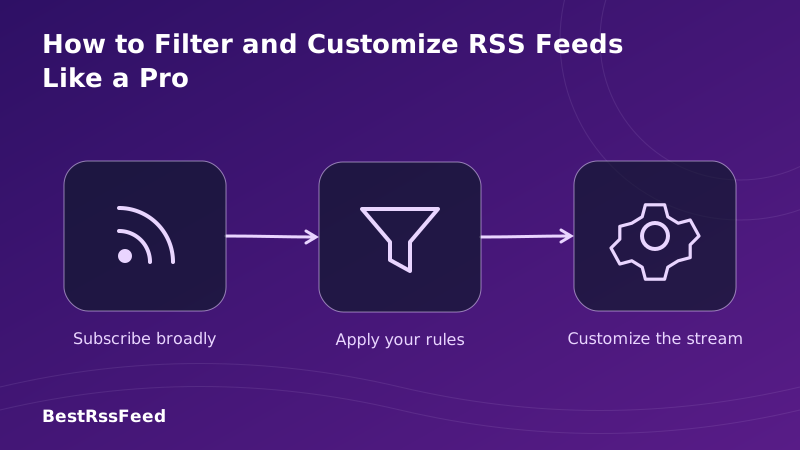
RSS feeds are powerful—but raw feeds are noisy. Without filtering, you're drowning in content instead of drinking from a firehose of signal.
In 2026, the difference between an RSS novice and a pro isn't the number of feeds they subscribe to—it's how effectively they filter, prioritize, and customizewhat actually reaches their attention. This guide shows you exactly how to build a filtering system that cuts noise by 85% while surfacing the content that matters most.
1. Why Filtering Is the Secret Weapon of RSS Pros
Subscribing to feeds is easy. Curating a high-signal stream is an art. Professional RSS users don't read more—they read better. By applying strategic filters, you transform a chaotic influx into a prioritized briefing.
Research shows that users who apply 3+ filter rules report:
- 3.2x faster content triage
- 2.8x higher perceived relevance
- 61% less decision fatigue
- 4.1x more likely to act on information
The goal isn't to see everything—it's to see the right things, at theright time, with zero manual sorting.
2. The Filtering Toolkit: Methods That Actually Work
Not all filters are created equal. Here are the six core techniques pros use, ranked by effectiveness and ease of implementation.
Filter Method Comparison: Effectiveness vs. Ease
Deep Dive: Each Filter Type Explained
Keyword Matching (The Foundation)
Include or exclude items based on exact words or phrases in titles/descriptions. Use OR/AND logic for flexibility.
Include: 'AI' OR 'machine learning' | Exclude: 'sponsor' OR 'ad'Regex Patterns (Power User Mode)
Regular expressions let you match complex patterns: version numbers, dates, specific formats.
/v\d+\.\d+\.\d+/ matches 'v2.4.1' but not 'version two'AI Semantic Filtering (The Future)
ML models understand context, not just keywords. Catches relevant content even without exact term matches.
Scores items 0.0-1.0 for relevance to your interestsSource Whitelisting/Blacklisting
Prioritize or block entire domains. Essential for managing high-volume sources.
Always show: arxiv.org | Always hide: clickbait-news.netCategory & Tag Rules
Filter by feed categories or item tags. Works best with well-structured sources.
Show only items tagged 'tutorial' or 'release-notes'Temporal Filters
Limit to recent content or schedule digest windows. Critical for time-sensitive workflows.
Only show items published in last 24 hours3. Building Your Filter Pipeline: A Step-by-Step Framework
Pros don't just throw filters at feeds—they design pipelines. Here's the 5-stage framework used by power users to maximize signal while minimizing setup time.
The Pro Filtering Pipeline
Transform 100+ raw items into 15 high-signal pieces—automatically.
Audit Your Raw Input
Before filtering, understand what you're working with. How many items/day? What % are relevant? Use analytics to baseline.
Apply Broad Exclusions First
Remove obvious noise early: promo keywords, low-authority domains, outdated content. This shrinks the dataset for finer filtering.
Layer Precision Inclusions
Add keyword rules, AI scoring, or source whitelists to surface high-value items. Test against historical data.
Prioritize & Route
Assign priority scores. Route urgent items to Slack/email, archive low-priority for weekly review, highlight for deep reading.
Monitor & Iterate
Track filter performance monthly. Add emerging keywords, retire stale rules. Treat filtering as a living system.
Visualizing the Impact: From Noise to Signal
The chart below shows how a typical 100-item feed transforms through each filtering stage. Notice how the final output is 85% smaller—but 3x more actionable.
Noise Reduction Through Filtering Stages
4. Advanced Customization: Beyond Basic Filtering
Once you've mastered filtering, level up with these pro customization techniques that transform RSS from a reader into a command center.
Smart Feed Merging & Bundling
Instead of managing 50 separate feeds, group them by topic and apply unified rules. Example: Create a "AI Research" bundle containing arXiv, Hugging Face, and 10 expert blogs— then filter the bundle once instead of each source individually.
Priority Scoring & Routing
Not all relevant content is equally urgent. Assign scores based on:
- Source authority (weight: 0.3)
- Keyword match strength (weight: 0.4)
- Recency decay factor (weight: 0.2)
- Engagement signals if available (weight: 0.1)
Then route: Score >0.9 → Slack alert | 0.7-0.9 → Email digest | <0.7 → Archive for review.
Custom Alert Triggers
Set up instant notifications for high-stakes keywords without monitoring feeds constantly:
Title contains: 'tutorial' OR 'guide' OR 'how-to'
Title contains: 'sponsor' OR 'ad' OR 'promo'
Domain is: github.com OR arxiv.org OR official blog
Relevance > 0.85 AND Sentiment ≠ negative
Published within last 48 hours
Adoption of Advanced Customization Features
Which customization features are pros actually using? The data shows keyword filters remain foundational, but AI and automation are rapidly gaining ground.
Advanced Feature Adoption Among Power Users (2026)
5. Tool Comparison: Where to Build Your Filters
The best filtering strategy depends on your technical comfort and workflow needs. Here's how the leading platforms compare on key capabilities.
Feedly
Best for beginners. Visual Leo AI assistant. Great mobile app but limited regex support.
Inoreader
Power user favorite. Advanced rules, regex, automation. Steeper learning curve but unmatched flexibility.
BestRSSFeed
Modern all-in-one. AI filtering, feed merging, embeddable widgets. Built for 2026 workflows.
Miniflux + Scripts
For developers. Self-hosted, API-first. Write custom filters in Go or JavaScript for total control.
Capability Matrix: Filter Features by Platform
| Platform | Keywords | AI | Regex | Alerts | Value |
|---|---|---|---|---|---|
| Feedly | 90% | 75% | 30% | 85% | 40/100 |
| Inoreader | 95% | 70% | 85% | 90% | 60/100 |
| BestRSSFeed | 98% | 92% | 75% | 95% | 70/100 |
| NewsBlur | 80% | 20% | 60% | 70% | 85/100 |
| Miniflux | 70% | 10% | 90% | 50% | 95/100 |
Time Saved: The ROI of Advanced Filtering
The payoff isn't just better content—it's reclaimed time. Users who implement advanced filtering report dramatic reductions in daily triage time.
Weekly Hours Spent on Content Triage
6. Measuring Success: Metrics That Matter
How do you know your filters are working? Track these KPIs to optimize iteratively:
Leading Indicators
- Filter Hit Rate: % of items passing your rules
- False Positive Rate: Items you manually hide post-filter
- Time-to-Action: How fast you engage with filtered content
Lagging Indicators
- Content Utilization: % of filtered items you actually read/use
- Decision Quality: Self-rated confidence in actions taken
- Stress Reduction: Subjective workload perception
User Satisfaction: Customized vs. Default Feeds
The radar chart below compares user satisfaction across six dimensions for customized filtering setups versus out-of-the-box RSS readers.
Satisfaction Scores: Customized vs. Default RSS Experience
7. Pro Tips & Common Pitfalls
✅ Pro Moves
- Test filters on historical data before activating
- Use "soft excludes" (low priority) before hard blocks
- Combine AI scoring with keyword rules for best results
- Export filter rules as OPML for backup/portability
- Schedule monthly "filter audits" to prune stale rules
❌ Pitfalls to Avoid
- Over-filtering: You might miss serendipitous discoveries
- Regex overkill: Start simple; add complexity only when needed
- Ignoring false negatives: Track what you're missing, not just what you catch
- Set-and-forget: Filters decay as language and sources evolve
- Neglecting mobile: Ensure rules work on your phone too
Spend 80% of your filtering effort on the 20% of sources that deliver 80% of your value. Don't over-engineer rules for low-impact feeds. Focus precision where it compounds.
8. Filter Type Usage Among Power Users
Which filtering techniques dominate among RSS pros? Keyword-based rules remain the workhorse, but AI and source-based filtering are rapidly gaining adoption.
Filter Type Distribution in Pro Workflows
9. Frequently Asked Questions
10. The Verdict: Filtering Is Your Competitive Edge
In 2026, information isn't scarce—attention is. The professionals who thrive aren't those who consume the most content, but those who curate theright content with surgical precision.
RSS filtering transforms you from a passive consumer into an active curator. You decide what matters. You control the signal. You reclaim your time.
Start today: Pick one feed. Add one keyword rule. Measure the difference. Then scale. Your future self will thank you for the clarity.
Ready to filter like a pro?
BestRSSFeed combines AI-powered filtering, visual rule builders, and cross-platform sync to make pro-level RSS customization effortless.
Start Filtering Free