How to Create an RSS Feed for Your Website
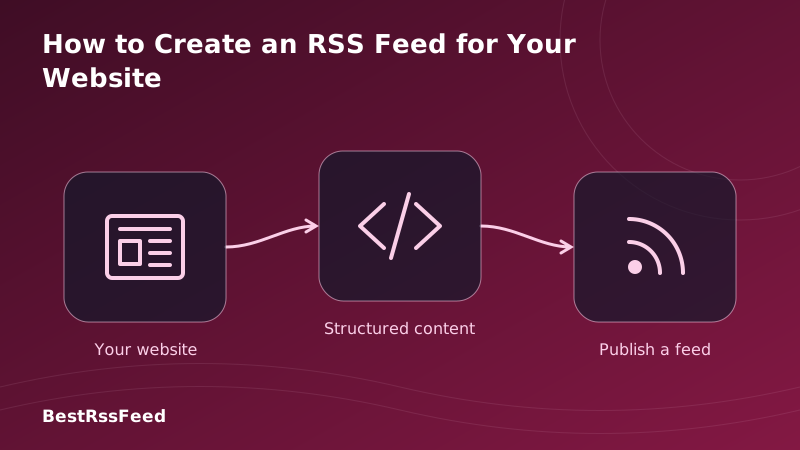
In 2026, owning your audience is more critical than ever. While social platforms compete for attention, an RSS feed provides a direct, unfiltered line to your readers. Whether you're on WordPress, Shopify, or a custom stack, setting up RSS is simpler than you think.
This guide covers everything from automatic CMS generation to manual XML creation, validation best practices, and how to optimize your feed for maximum subscriber retention.
1. Why Your Website Needs an RSS Feed
RSS (Really Simple Syndication) isn't just a relic of the early web; it's a robust protocol for content distribution. In an era of algorithmic uncertainty, RSS ensures your content reaches your audience without interference.
Additionally, RSS feeds are crucial for podcasting, email newsletter bridges, and content aggregation. Many tools require a valid RSS feed to function, making it a foundational piece of your tech stack.
2. Method 1: Using Your CMS (Easiest)
Most modern Content Management Systems generate RSS feeds automatically. You often don't need to write a single line of code. Here's how to find or enable them on popular platforms.
| Platform | Default URL | Configuration | Status |
|---|---|---|---|
| WordPress | /feed | Built-in | Active |
| Shopify | /sitemap.xml | Auto-generated | Active |
| Squarespace | /rss.xml | Settings > Advanced | Active |
| Webflow | /rss.xml | CMS Settings | Active |
| Ghost | /rss/ | Built-in | Active |
WordPress Specifics
WordPress powers over 40% of the web, and its RSS functionality is robust out of the box. Simply append /feed to your domain. To customize what appears in the feed (full text vs. excerpt), navigate to Settings > Reading.
3. Method 2: Manual XML Creation
For custom-built sites (React, Next.js, Laravel), you may need to generate the XML manually. RSS 2.0 is the standard. Below is the minimal required structure.
Basic RSS 2.0 Structure
Every valid RSS feed must contain a channel wrapper with title, link, and description, followed by items.
You can create a dynamic route in your framework that returns this XML with the correct Content-Type: application/rss+xml header. Ensure dates are in RFC 822 format (e.g., Mon, 01 Jan 2024 12:00:00 GMT).
rss for Node.js,feed for Python, or laravel-feed for PHP. They handle escaping, date formatting, and validation automatically.4. Method 3: Third-Party Generators
If you can't modify your server code, third-party services can scrape your site and generate a feed for you. This is ideal for static sites or platforms with limited RSS support.
| Method | Time Required | Difficulty | Cost |
|---|---|---|---|
| CMS Plugin | 5 mins | Easy | Free |
| Static Generator | 30 mins | Medium | Free |
| Manual XML | 2+ hours | Hard | Free |
| Third-Party Service | 10 mins | Easy | $5-20/mo |
5. Validating Your Feed
A broken feed is worse than no feed. Errors can prevent readers from subscribing or cause items to disappear. Common issues include invalid characters, missing tags, or incorrect date formats.
Common RSS Validation Errors (2026)
Use tools like the W3C Feed Validation Service or BestRSSFeed's built-in validator to check your URL before promoting it.
6. Optimizing for Retention
Creating the feed is step one. Keeping subscribers is step two. Feeds that include rich media, full content (where appropriate), and clear categorization see higher engagement.
Subscriber Retention by Feed Quality
Best Practices Checklist
- Include Images: Use
<enclosure>or media tags for thumbnails. - Limit Items: Keep the feed to the last 10-20 posts to reduce load time.
- Use HTTPS: Ensure all links in the feed are secure.
- Advertise It: Add the RSS icon to your header/footer and mention it in newsletters.
7. Promoting Your Feed
Don't hide your feed. Make it easy to find. Add a discoverable link in your navigation, and consider using auto-discovery tags in your HTML <head>.
<link rel="alternate" type="application/rss+xml" title="My Site RSS" href="https://mysite.com/feed" />Add this to your HTML head to let browsers and readers automatically detect your feed.
8. Frequently Asked Questions
9. The Verdict: Start Today
Creating an RSS feed in 2026 is a low-effort, high-impact investment. Whether you use a CMS plugin or a custom script, the goal is the same: own your distribution.
Don't let your content rely solely on algorithms. Build a direct line to your readers. Validate your feed, optimize your items, and watch your loyal audience grow.