How to Escape Information Overload Using RSS Feeds
In 2026, the average person encounters an estimated 118 GB of information daily— a 3.5x increase from just five years ago. This deluge isn't just overwhelming; it's cognitively exhausting, reducing focus, increasing anxiety, and impairing decision-making.
But there's a proven escape route: RSS feeds. Far from being outdated technology, RSS is experiencing a renaissance precisely because it solves the core problem of the modern web: how to consume high-quality information without being consumed by noise. This guide provides a complete, actionable framework for using RSS to reclaim your attention.
1. Understanding Information Overload in 2026
Information overload isn't just about volume—it's about the mismatch between the information available and your brain's capacity to process it meaningfully. Key drivers include:
- Algorithmic amplification: Platforms prioritize engagement over relevance, flooding feeds with emotionally charged content.
- Notification culture: Push alerts fragment attention, making deep focus nearly impossible.
- FOMO economics: The fear of missing out drives compulsive checking, creating anxiety loops.
- Content inflation: AI-generated articles have increased total web content by 52% year-over-year.
Information Volume vs. Cognitive Stress (2021–2026)
2. Why RSS Is the Antidote to Overload
RSS (Really Simple Syndication) solves information overload through three fundamental principles:
- Pull, Don't Push: You actively fetch content when ready, rather than being interrupted by algorithms.
- Curate, Don't Consume: You choose sources explicitly, creating a personalized information diet.
- Chronological, Not Engagement-Based: Content appears in order of publication, not based on what keeps you scrolling.
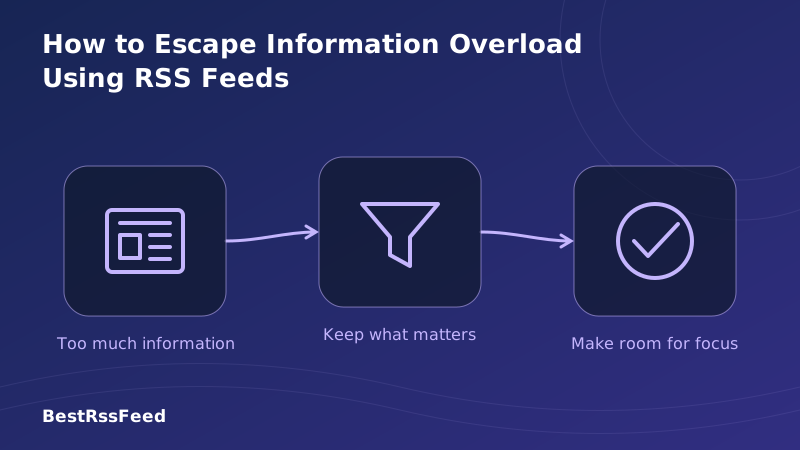
The RSS Information Filter Pipeline
RSS transforms infinite noise into finite, actionable signal through intentional curation.
The Psychology of Intentional Consumption
When you subscribe via RSS, you make a conscious commitment: "I value this source enough to check it regularly." This intentionality activates prefrontal cortex engagement—the part of your brain responsible for focus and decision-making—rather than the reactive, dopamine-driven loops triggered by social media.
3. Step-by-Step: Building Your Overload-Proof RSS System
Escaping overload isn't about adding another app—it's about designing a sustainable information workflow. Follow this 5-phase framework:
Audit Your Current Inputs
List every source you check daily: social accounts, newsletters, news apps, podcasts. For each, ask: 'Does this provide unique value I can't get elsewhere?' Be ruthless. Most people can cut 60-70% of sources without losing signal.
Select Your RSS Reader
Choose based on your needs: BestRSSFeed for smart filtering + widgets, Feedly for AI summarization, NetNewsWire for privacy-focused simplicity. Ensure it supports mobile sync and offline reading.
Curate Your Initial Feed List
Start with 10-15 high-signal sources. Prioritize: (1) Primary news outlets in your field, (2) Expert blogs you trust, (3) Official sources (gov, orgs). Avoid aggregators at this stage—they reintroduce noise.
Implement Smart Filters
Use keyword blocking to hide topics you don't need (e.g., 'celebrity', 'viral'). Set priority tags for urgent items. Enable 'hide read' to keep your queue clean. BestRSSFeed's rule engine automates this.
Establish Consumption Rituals
Schedule two 15-minute RSS sessions daily: morning briefing and evening review. Disable all push notifications. Use 'mark all as read' liberally—your goal is insight, not inbox zero.
4. Advanced Filtering Strategies
Once your foundation is set, these advanced techniques multiply RSS's overload-reduction power:
The 3-Layer Filter Framework
- Layer 1: Source Curation — Only subscribe to outlets with proven editorial standards.
- Layer 2: Keyword Rules — Auto-hide articles containing low-value terms or topics outside your scope.
- Layer 3: Priority Tagging — Flag must-read items with visual markers; batch the rest for weekly review.
Filter Effectiveness: Items vs. Relevant Content
Keyword Filtering Examples
| Goal | Block Keywords | Keep Keywords |
|---|---|---|
| Reduce clickbait | "you won't believe", "shocking", "viral" | "analysis", "report", "study" |
| Focus on tech | "celebrity", "gossip", "lifestyle" | "API", "framework", "deployment" |
| Track competitors | "rumor", "speculation" | "[CompetitorName]", "acquisition", "funding" |
5. Time Management: From Scrolling to Strategic Reading
The goal isn't to consume less information—it's to consume better information in less time.
Weekly Time Investment vs. Content Quality
The Two-Session Daily Protocol
Structure your RSS consumption like a professional briefing:
- Morning (15 min): Scan priority-tagged items. Skim headlines in other folders. Save 2-3 articles for deep reading later.
- Evening (10 min): Review saved articles. Mark remaining items as read. Plan tomorrow's focus topics.
- Weekly (30 min): Audit new feed suggestions. Adjust filters. Export insights to your knowledge base.
6. Measuring Success: Metrics That Matter
Track these indicators to ensure your RSS system is reducing overload, not adding complexity:
Attention Restoration Over 8 Weeks
Key Performance Indicators
Time to Inbox Zero
< 15 min/session
Relevant Content Ratio
> 85%
Weekly Feed Audits
1x/quarter
Decision Confidence
Self-rated ↑
7. Choosing the Right RSS Reader for Overload Reduction
Not all RSS readers are created equal when it comes to fighting information overload. Prioritize these features:
| Reader | Filtering | Mobile | Offline | AI Tools | Value |
|---|---|---|---|---|---|
| BestRSSFeed | 95% | 92% | 90% | 88% | 85% |
| Feedly Pro | 82% | 95% | 70% | 91% | 65% |
| Inoreader | 88% | 89% | 85% | 79% | 72% |
| NetNewsWire | 65% | 88% | 95% | 40% | 98% |
| Miniflux | 78% | 45% | 92% | 30% | 99% |
Reader Comparison: Multi-Dimensional Scoring
8. Common Pitfalls & How to Avoid Them
Even with RSS, it's easy to recreate overload. Watch for these traps:
The 10-Source Rule
Start with only 10 high-quality sources. Master consuming them before adding more. This prevents the 'subscribe to everything' trap that recreates overload.
Keyword Blacklisting
Auto-hide articles containing words like 'clickbait', 'viral', or topics outside your scope. BestRSSFeed lets you set rules that filter before content reaches your eyes.
Time-Boxed Consumption
Check your RSS reader only twice daily: morning briefing (15 min) and evening review (10 min). Disable push notifications. Treat information like appointments, not ambient noise.
Quarterly Feed Audits
Every 3 months, review which feeds you actually opened. Unsubscribe from anything that didn't provide value. Your feed list should evolve as your interests and goals change.
9. How BestRSSFeed Specifically Fights Overload
At BestRSSFeed, we engineered our platform with information overload as the primary enemy:
- Smart Bundles: Combine related feeds into unified streams, reducing folder-switching fatigue.
- AI-Powered Triage: Auto-highlight high-relevance items based on your reading history and stated goals.
- Focus Mode: Temporarily hide all non-priority content during deep work sessions.
- Weekly Digest: Get a concise summary of your feeds, surfacing only what you missed.
- One-Click Pruning: Identify and unsubscribe from low-engagement feeds with a single action.
User Satisfaction: RSS vs. Other Methods
10. Frequently Asked Questions
11. Conclusion: Your Attention Is Your Most Valuable Asset
Information overload isn't inevitable—it's a design problem. And like any design problem, it has a solution: intentional architecture. RSS provides the framework; your curation provides the intelligence.
By implementing the strategies in this guide, you'll transform your relationship with information. Instead of feeling drowned by the digital deluge, you'll experience the clarity that comes from consuming only what matters, when you're ready for it.
In 2026, the most valuable skill isn't knowing more—it's knowing what to ignore. RSS, used strategically, is your ultimate filter.
Ready to reclaim your attention?
Start your overload-free information journey with BestRSSFeed today.
Start Free Trial