How to Use RSS Feeds to Stay Updated Without Social Media
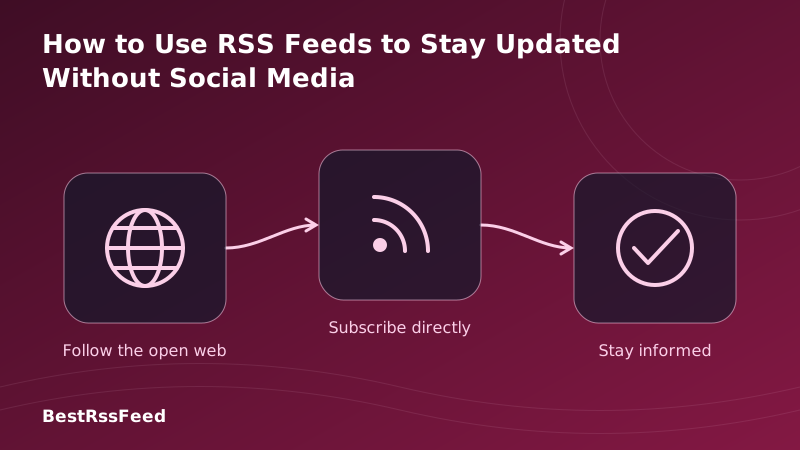
In 2026, the average person spends over 6 hours a day consuming online content—and the majority of that time is wasted scrolling social media feeds engineered to hijack attention. There's a better way: RSS (Really Simple Syndication).
RSS lets you follow any website, blog, podcast, or news outlet and have every update delivered directly to a reader app—no account required, no algorithm in between, no tracking, no noise. This guide is your complete, practical walkthrough: from the psychology of why social media fails you, to step-by-step setup, to advanced workflows used by journalists, researchers, and developers who have already made the switch.
20.9M
People using RSS without social media (2026)
27 min
Avg. minutes saved per day vs social scroll
81 vs 31%
Satisfaction score vs social media feeds
Zero
Personal data required to subscribe via RSS
1. Why Social Media Is a Broken News Source
Social media platforms were not designed to keep you informed. They were designed to keep you engaged—and those are profoundly different objectives. An engagement-maximising algorithm will always promote outrage, novelty, and controversy over accuracy, depth, and relevance to your actual life.
The numbers make the case clearly. Trust in algorithm-curated content has been in freefall for seven straight years. In 2026, only 17% of users say they trust social media to surface the news that actually matters to them—down from 54% in 2020.
Algorithm Trust Index — Social Media Curated News (2020–2026)
Social Media Fatigue Is Driving the RSS Revival
The correlation between rising social media fatigue and RSS adoption is not coincidental. As platforms became more hostile—with rate limits, paywalled APIs, and chronological feeds replaced by engagement-ranked chaos—millions of users have quietly rebuilt their information diet around RSS.
Social Media Fatigue (%) vs. RSS Adoption (M) — 2022 to 2026
2. How RSS Works — And Why That Matters
Before we get into setup, it helps to understand the fundamental architecture that makes RSS so different from social media. The difference isn't just philosophical—it's structural.
Social Media Flow
You see what the algorithm wants you to see.
RSS Feed Flow
You see everything from every source you trust.
Every RSS feed is a plain XML file that any website can publish. Your RSS reader polls those files on a schedule—every 15 minutes, every hour, whatever you set—and displays new items in chronological order. There is no server deciding what to show you. There is no engagement model. There is no advertiser. It's just content, delivered directly.
The Growing Population Replacing Social Media With RSS
The number of people who have dropped social media as their primary news source and replaced it entirely with RSS has been growing rapidly since 2025. By Q1 2026, over 20.9 million people self-identify as "RSS-only" or "social-media-free" news consumers.
Growth of Social-Media-Free RSS Users (Millions, 2025–Q1 2026)
3. Choosing Your RSS Reader
Your RSS reader is your new homepage. Picking the right one matters, but the good news is you're not locked in—your subscription list is portable (via OPML) and can be moved between readers in minutes. Here's a comprehensive 2026 comparison of the most popular options.
| Reader | Platform | Free Tier | AI Summary | OPML | Offline | Self-Host | Pricing |
|---|---|---|---|---|---|---|---|
| Feedly | Web/iOS/Android | ✅ | ✅ | ✅ | ⚠️ | ❌ | Free / $8/mo |
| Inoreader | Web/iOS/Android | ✅ | ✅ | ✅ | ✅ | ❌ | Free / $6/mo |
| NetNewsWire | macOS / iOS | ✅ | ❌ | ✅ | ✅ | ❌ | Free (open source) |
| Miniflux | Web (self-hosted) | ❌ | ❌ | ✅ | ✅ | ✅ | $3/mo or self-host |
| FreshRSS | Self-hosted | ✅ | ❌ | ✅ | ✅ | ✅ | Free (open source) |
| BestRSSFeed | Web/iOS/Android | ✅ | ✅ | ✅ | ✅ | ❌ | Free / Pro |
The Multi-Dimension Comparison: RSS vs. Social vs. Push Notifications
Looking beyond reader features, the radar chart below compares RSS against social media and push notification-based news across six dimensions that matter to anyone who wants to stay informed efficiently.
RSS vs. Social Media vs. Push Notifications — 6-Dimension Radar
4. Step-by-Step: Building Your RSS Library From Scratch
The biggest myth about RSS is that it's complicated. It isn't. Here is a complete, practical walkthrough that takes most people under 15 minutes from first step to a fully populated reading inbox.
Install Your Reader App
Download Feedly, Inoreader, or NetNewsWire on your phone or desktop. Create a free account (or skip if using NetNewsWire, which syncs locally). This becomes your new inbox for the world.
Find Feed URLs for Sites You Trust
Most sites publish their feed at /feed, /rss, or /atom.xml. Paste the site's homepage URL into your reader's 'Add Feed' box—it will auto-detect available feeds. Look for the orange RSS icon on websites. BestRSSFeed's discovery tool finds all feeds from any URL instantly.
Replace Your Social Media Sources Directly
Think about the accounts and pages you followed on social media for news. Each major news outlet, blog, and creator you followed almost certainly has an RSS feed. Subscribe to those feeds directly. You now get the same content without the platform, algorithm, or ads.
Organise Into Topic Folders
Create folders by topic or priority level: 'Daily News', 'Tech', 'Finance', 'Long Reads', 'Must Read Today'. Assign each feed to a folder. Your reading session becomes a structured, intentional sweep—not a doomscroll.
Set Keyword Alerts for Breaking Topics
In Feedly or Inoreader, create rules to highlight or push-notify you when specific keywords appear across all your feeds. Track a competitor, a topic, a person's name, a ticker symbol. You'll know about it before most social media users do.
Import a Curated OPML Starter Pack
Don't start from zero. BestRSSFeed provides topic-specific OPML bundles (Tech, Finance, Science, World News) with 30–60 high-quality feeds each. Import one click and your reader is immediately populated with trustworthy sources.
Prune and Refine Weekly
Unlike algorithms that improve silently, RSS improves because of your input. Each week, remove feeds that have gone quiet or stopped delivering value. Add new ones you discover. In a month, you'll have a perfectly calibrated information environment.
Setup Completion Rates by Step
Based on onboarding data from BestRSSFeed, here's how far new users get in the setup process—and where drop-off occurs. The most common sticking point is step 5 (keyword alerts), which is exactly where power users unlock the most value.
RSS Onboarding Completion Rate by Step (%)
5. Organising Your Feeds Like a Pro
A well-organised RSS library is the difference between a chaotic inbox and a structured, calming reading practice. The key principle: organise by context of consumption, not just topic. Ask yourself: "When will I read this?" not just "What is this about?"
📰 Daily News
- Reuters
- AP News
- BBC World
💻 Tech & Dev
- Hacker News
- GitHub Blog
- CSS-Tricks
💰 Finance
- FT Markets
- SEC EDGAR
- Investopedia
🔬 Research
- arXiv CS
- Nature News
- MIT Tech Review
🎙️ Podcasts
- Lex Fridman
- Planet Money
- Darknet Diaries
⭐ Must Read
- Curated favourites
- High signal
- Zero noise
The "Three-Tier" Reading System
Experienced RSS readers use a tiered approach to manage high-volume feeds without feeling overwhelmed:
Tier 1 — Morning Brief (5–10 feeds)
Your absolute must-reads. Check these every morning. High signal, low volume. Examples: Reuters Top News, Stratechery, your single most important industry feed.
Tier 2 — Lunch Sweep (20–30 feeds)
Medium priority. Industry news, niche blogs, topic deep-dives. Read these when you have 15 minutes. Mark-all-read if you're busy—these aren't life-critical.
Tier 3 — Weekend Long Reads (unlimited)
Long-form essays, research papers, newsletters converted to RSS, deep-dive blogs. Star items during the week. Read on Saturday with coffee. No pressure.
Universal RSS Reader Keyboard Shortcuts
6. A Directory of Essential RSS Feeds by Topic
The fastest way to build your RSS library is to start with proven, high-quality feeds. Below is a curated starter directory for the four most common interest categories. All of these are free, actively maintained, and updated in 2026.
Reuters Top News
https://feeds.reuters.com/reuters/topNews
BBC World
http://feeds.bbci.co.uk/news/world/rss.xml
AP News
https://rsshub.app/apnews/topics/ap-top-news
Al Jazeera
https://www.aljazeera.com/xml/rss/all.xml
Hacker News
https://news.ycombinator.com/rss
The Verge
https://www.theverge.com/rss/index.xml
Ars Technica
https://feeds.arstechnica.com/arstechnica/index
GitHub Blog
https://github.blog/feed/
Nature News
https://www.nature.com/nature.rss
MIT Tech Review
https://www.technologyreview.com/feed/
Science Daily
https://www.sciencedaily.com/rss/all.xml
arXiv CS
https://export.arxiv.org/rss/cs
FT World News
https://www.ft.com/world?format=rss
Investopedia News
https://www.investopedia.com/feedbuilder/feed/getfeed?feedName=rss_headline
SEC EDGAR Filings
https://www.sec.gov/cgi-bin/browse-edgar?action=getcurrent&type=8-K&dateb=&owner=include&count=40&output=atom
Bloomberg Technology
https://feeds.bloomberg.com/technology/news.rss
YouTube: Every channel has a hidden RSS feed. Find the channel ID in the URL, then use: https://www.youtube.com/feeds/videos.xml?channel_id=CHANNEL_ID
Podcasts: Every podcast is already an RSS feed. Most podcast homepages link directly to the feed URL. Subscribe in your RSS reader to track episodes without a dedicated podcast app.
Reddit: Any subreddit has an RSS feed at https://www.reddit.com/r/SUBREDDIT/.rss. Subscribe to niche communities without an account or the Reddit app.
7. Time Savings: The Real Cost of Social Media Scrolling
RSS doesn't just give you better information—it gives you back your time. The data across five user profiles shows that switching to RSS saves between 3.7 and 6.1 hours per week compared to using social media as a primary news source.
Weekly Hours Spent: RSS vs. Social Media by User Profile
Minutes to Find the Same Information
It's not just total hours—it's efficiency per session. RSS users consistently reach the information they're looking for in under 12 minutes, compared to 38 minutes of social media scrolling that typically yields less relevant content.
Average Minutes to Find Desired Information by Channel
8. Content Satisfaction: What the Data Shows
Time savings are valuable, but the more compelling case for RSS is information quality. When users rate their satisfaction with information delivered by each channel, and the amount of irrelevant "noise" they encounter, the gaps are stark.
Content Satisfaction vs. Noise Level by Channel (2026)
What People Are Actually Reading in RSS
RSS is not just for news. In 2026, the most popular feed categories show a diverse reading culture—with podcast RSS subscriptions leading growth, followed by newsletters-turned-RSS and finance feeds.
RSS Feed Subscriptions by Content Category (2026)
9. Advanced Workflows: Power-User Techniques for 2026
Once your basic RSS setup is running, these advanced techniques will turn your reader into a genuine intelligence system—the kind that journalists, analysts, and researchers use to stay permanently ahead of the news cycle.
In Feedly (Leo AI) or Inoreader (Rules), set keyword alerts that fire across your entire feed library. Track competitor names, legislative terms, technology names, or ticker symbols. You'll be notified the moment something appears—before social media even picks it up.
Most readers let you combine multiple feeds into a 'bundle' or 'smart folder'. BestRSSFeed takes this further with AI Digest—a weekly AI-generated summary of your entire feed library, highlighting only what actually matters.
Create rules to automatically mark-as-read or hide posts matching certain keywords ('sponsored', 'partner', 'review'). Or create whitelist rules so only posts containing high-value terms appear in certain folders. RSS with filtering is sharper than any algorithm.
Don't surrender your email address to every newsletter you want to follow. Services like Kill the Newsletter and BestRSSFeed's Newsletter Bridge convert email newsletters into subscribable RSS feeds. You get the content without the inbox clutter.
BestRSSFeed's RSS Builder creates custom feeds from any webpage by scraping headlines on a schedule. Even sites without native RSS support become part of your unified feed. Works for job boards, government sites, and niche forums.
OPML export lets you back up your full subscription list. Advanced readers like Inoreader and FreshRSS let you export reading statistics. Track which feeds you actually read, identify low-value subscriptions, and optimise your library over time.
10. Privacy and Data Ownership: RSS's Invisible Advantage
The privacy case for RSS over social media is overwhelming—and it's built into the protocol by design, not policy.
| Privacy Factor | RSS | Social Media | Email Newsletter |
|---|---|---|---|
| Account required | ❌ None needed | ✅ Mandatory | ✅ Email address |
| Reading history tracked | ❌ Never | ✅ Always | ⚠️ Open pixels |
| Behavioral profiling | ❌ Impossible | ✅ Core product | ⚠️ Some tools |
| Ad targeting enabled | ❌ No | ✅ Yes | ⚠️ Some tools |
| Data sold to third parties | ❌ Nothing to sell | ✅ Business model | ⚠️ Varies |
| Subscription list portable | ✅ OPML standard | ❌ Locked in | ⚠️ CSV export only |
| Works if platform closes | ✅ Feeds persist | ❌ Lost forever | ⚠️ List survives |
11. How BestRSSFeed Makes Going Social-Media-Free Frictionless
At BestRSSFeed, we built RSS Feed Flow specifically to remove every friction point that stops people from making the switch away from social media. Here's what we've added on top of the open RSS standard:
- One-click feed discovery — paste any URL (even a social media profile link) and we surface every available feed automatically.
- Social feed migration tool — tell us which Twitter/X lists, Facebook pages, or LinkedIn company pages you followed, and we'll map them to their equivalent RSS feeds where available.
- AI Digest — a weekly AI summary of your entire feed library, distilled to the 10 items you would most want to read. Keeps you informed even in a busy week.
- Keyword Alerts — real-time notifications when specific keywords appear across all your subscribed feeds. Replaces Twitter/X notifications without the platform dependency.
- Newsletter-to-RSS Bridge — converts any email newsletter into an RSS feed. Subscribe to your favourite writers without giving them your email address.
- RSS Builder — creates custom feeds from any webpage, even sites without native RSS. No site is off-limits.
- OPML Starter Packs — curated bundles by topic. Import 50 trusted feeds in one click and your reader is fully populated from day one.
- Embeddable Widgets — if you run a website, display your curated RSS content on it with no code required.
12. Frequently Asked Questions
13. The Verdict: RSS Is the Cleanest Path to Staying Informed in 2026
Social media was never designed to keep you well-informed. It was designed to keep you scrolling. RSS was designed to do exactly one thing: deliver the content you chose, in the order it was published, with nothing in between.
The data is unambiguous: RSS users save 27 minutes a day, report 81% content satisfaction versus social media's 31%, and retain 69% of their subscriptions after 12 months versus 24% on social platforms. Over 20 million people have already made the switch to social-media-free information consumption in 2026.
The setup takes 15 minutes. The payoff—a calmer, more informed, privacy-preserving information diet—lasts indefinitely. BestRSSFeed makes the migration easier than it's ever been.
Ready to leave social media out of your news diet?
Join over 54 million users who get their news via RSS — no algorithm, no tracking, no noise. BestRSSFeed gets you set up in minutes.
Get Started Free