How to Combine Multiple RSS Feeds Into One Stream
In 2026, information fragmentation is at an all-time high. You might track tech news on one site, finance on another, and niche blogs on three more. Managing these individually is exhausting. The solution? Combining multiple RSS feeds into a single stream.
This guide covers every method to merge feeds—from simple reader folders to advanced API-driven super feeds—helping you reclaim focus and efficiency.
1. Why Combine RSS Feeds? The Efficiency Argument
Context switching is a productivity killer. Every time you open a new tab or app to check a different source, you lose focus. By merging feeds, you create a "single source of truth" for specific topics.
Consider the time spent checking individual sites versus one consolidated stream. The data below illustrates the weekly time investment across different consumption methods.
Weekly Time Spent Consuming Content (Hours)
2. Methods to Merge RSS Feeds
There is no single way to combine feeds. The best method depends on your technical comfort and specific needs. Here are the four primary approaches used in 2026.
Method A: RSS Reader Folders (Simplest)
Most modern readers (Feedly, Inoreader) allow you to group feeds into categories. While not a single URL, it creates a unified view.
- Pros: Free, built-in, no setup.
- Cons: Not shareable as a single link, still requires opening the app.
Method B: Feed Merger Services (Best for Sharing)
Tools like BestRSSFeed or RSS.app allow you to select multiple URLs and generate one new RSS URL. This is ideal for embedding on websites or sharing with a team.
- Pros: Creates a portable URL, works in any reader.
- Cons: May rely on third-party uptime.
Method C: Self-Hosted Scripts (For Developers)
Using Python or Node.js, you can fetch multiple feeds, parse the XML/JSON, merge them, and serve the result.
- Pros: Total control, privacy, free.
- Cons: Requires maintenance, server costs, coding knowledge.
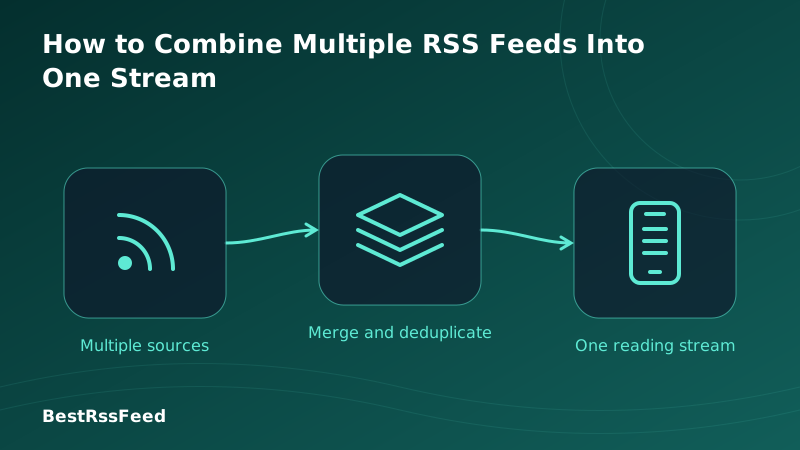
How Feed Merging Works
Multiple inputs are normalized, sorted by date, and output as a single standard RSS feed.
3. Step-by-Step: Creating a Super Feed
Ready to build your own stream? Here is the fastest workflow using a modern aggregator like BestRSSFeed.
Gather Source URLs
Collect the direct RSS links of the blogs, news sites, or podcasts you want to merge. (Look for the orange RSS icon or view page source).
Input into Merger Tool
Navigate to your RSS builder tool. Paste the URLs into the 'Source Feeds' field. Most tools allow bulk pasting.
Configure Sorting & Filters
Choose whether to sort by 'Newest First' or 'Source Priority'. Add keyword filters if you only want specific topics from those feeds.
Generate & Subscribe
Click 'Create Feed'. Copy the new generated URL and paste it into your preferred RSS reader (or embed it on your site).
4. Tool Comparison: Where to Merge Feeds
Not all tools are created equal. Some focus on simplicity, others on advanced filtering. The table below compares the top options available in 2026.
| Tool | Ease of Use | Feature Set | Cost | Custom Filters |
|---|---|---|---|---|
| BestRSSFeed | 95/100 | 90/100 | Free / Pro | ✅ |
| Feedly | 85/100 | 85/100 | Free / $8/mo | ⚠️ |
| Inoreader | 80/100 | 92/100 | Free / $6/mo | ✅ |
| RSS.app | 75/100 | 70/100 | $9/mo | ✅ |
| Self-Hosted | 40/100 | 98/100 | Server Cost | ✅ |
Popularity of Merging Methods
While manual folders remain common, dedicated merging services are growing rapidly as users seek portability and embeddability.
Method Popularity Distribution (2026)
5. Advanced Use Cases for Combined Feeds
Merging feeds isn't just about convenience; it enables powerful workflows for teams and creators.
Research Digests
Merge 20+ academic journal feeds into one "Daily Paper" stream for your research team.
Website Widgets
Create a merged feed of partner news to display on your company's "In the News" page.
Security Monitoring
Combine CVE databases and security blogs to get a unified threat intelligence feed.
Client Reporting
Aggregate industry news specific to a client's niche and email them the merged RSS as a newsletter.
6. Pain Points Solved by Merging
Why go through the trouble? The radar chart below highlights how a combined stream mitigates common information consumption pain points compared to traditional methods.
Pain Point Reduction Score (Higher is Better)
7. Best Practices for Feed Hygiene
Combining feeds can lead to firehose effects if not managed. Follow these rules to keep your stream useful.
- Prune Regularly: If a source consistently produces low-value content, remove it from the merge.
- Use Keywords: If merging broad news sites, filter for specific keywords (e.g., "AI", "Crypto") to narrow the focus.
- Check Frequency: Ensure all merged feeds update at similar frequencies to avoid one source dominating the stream.
8. Frequently Asked Questions
9. The Verdict: Consolidate to Conquer
Combining multiple RSS feeds into one stream is more than a technical trick; it's a strategy for information sovereignty. In 2026, where attention is the scarcest resource, controlling your input stream is essential.
Whether you use a simple folder structure or a powerful merging engine like BestRSSFeed, the goal is the same: less noise, more signal.
Ready to build your super feed?
Try BestRSSFeed to merge, filter, and embed your custom streams in minutes.
Create Free Stream