How to Use RSS Feeds with WordPress (Beginner Guide)
WordPress powers over 43% of the web, and luckily, it comes with built-in RSS support out of the box. Whether you want to syndicate your own content or aggregate news from other sites, understanding how to use RSS feeds with WordPress is a vital skill for 2026.
This guide covers everything from finding your default feed URL to advanced customization with plugins, SEO implications, and best practices for growing your audience through syndication.
1. What Is RSS in WordPress?
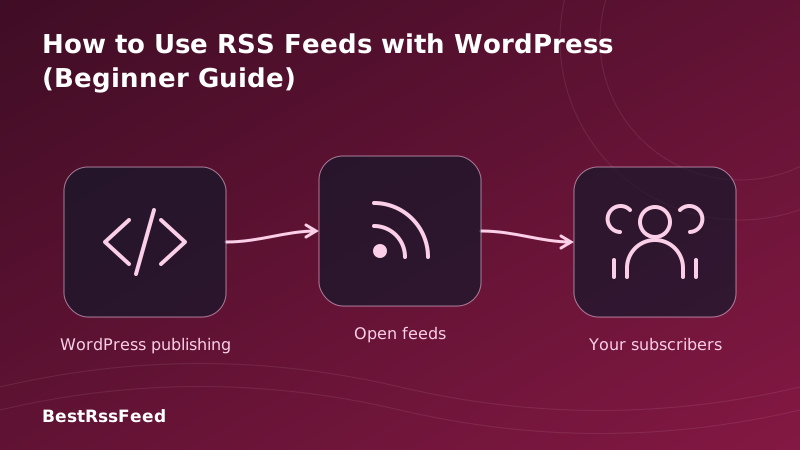
RSS (Really Simple Syndication) in WordPress is an automated way to publish updates about your content. Whenever you publish a new post, WordPress automatically updates your RSS feed XML file. Feed readers (like Feedly) check this file and show your new post to subscribers.
You don't need to code anything. WordPress generates these feeds dynamically based on your posts, categories, tags, and comments.
How WordPress RSS Works
WordPress creates feeds automatically. No coding required for basic usage.
2. How to Find Your WordPress RSS Feed URL
The easiest part of using RSS in WordPress is finding the feed. Unless you've disabled it, your feed is live by default. Here are the most common URL structures:
| Feed Type | URL Structure | Example |
|---|---|---|
| Main Posts | /feed/ | example.com/feed/ |
| Comments | /comments/feed/ | example.com/comments/feed/ |
| Category | /category/name/feed/ | example.com/category/news/feed/ |
| Tag | /tag/name/feed/ | example.com/tag/tech/feed/ |
| Author | /author/name/feed/ | example.com/admin/feed/ |
type="application/rss+xml" in the <head> section.3. Configuring RSS Feed Settings
WordPress allows you to control how much content appears in your feed. This is crucial for balancing user convenience with website traffic.
Go to Settings → Reading in your WordPress dashboard. You'll see an option: "For each article in a feed, show". You can choose between Full Text or Summary.
Feed Type Distribution (2026)
Full Text vs. Summary: Which Is Better?
- Summary: Best for SEO and driving traffic. Users must click through to read more.
- Full Text: Best for user experience if you don't care about click-throughs (e.g., newsletters).
4. Adding External RSS Feeds to WordPress
Want to display news from other sites on your WordPress blog? You can import external RSS feeds using blocks or plugins.
Method A: The Native RSS Block
In the Gutenberg Block Editor, add the RSS block. Paste the feed URL, and WordPress will display the latest items. This is simple but limited in styling.
Method B: Using Plugins (Recommended)
For more control (filtering, styling, caching), use a dedicated plugin. Here are the top choices in 2026:
| Plugin | Users | Rating | Price |
|---|---|---|---|
| WP RSS Aggregator | 60K+ | 4.5 ★ | Free / $59 |
| Feedzy | 40K+ | 4.7 ★ | Free / $79 |
| RSS Importer | 1M+ | 4.2 ★ | Free |
| Category Specific | 20K+ | 4.6 ★ | Free |
| BestRSSFeed Widget | Growing | 4.9 ★ | Free / Pro |
5. SEO Implications of RSS
A common concern is whether RSS feeds hurt SEO due to duplicate content. Search engines are smart enough to recognize the original source, but you can take extra precautions.
SEO Traffic Impact: Full Text vs. Summary
- Use Summary feeds to encourage click-throughs.
- Add a link back to the original post in the footer of your feed content.
- Ensure your permalinks are stable (don't change URLs after publishing).
- Use plugins that add
rel="canonical"tags if syndicating fully.
6. Real-World Use Cases
RSS isn't just for old-school readers. In 2026, WordPress RSS feeds power modern workflows across marketing, development, and media.
Bloggers
Notify subscribers instantly when new posts go live. Drive recurring traffic without relying on social algorithms.
Developers
Expose changelogs, documentation updates, or status pages via RSS for technical audiences who prefer feeds.
Podcasters
WordPress powers many podcast sites. The RSS feed is the lifeline that submits your show to Apple & Spotify.
Curators
Use WordPress as an aggregator. Pull feeds from other sites into your own niche news hub using plugins.
Integration Adoption Rates
The following chart shows how WordPress RSS feeds are being utilized across different platforms and services today.
RSS Integration Adoption by Use Case
7. How to Disable RSS Feeds (If Needed)
Some static business sites don't need RSS. If you want to disable them to reduce server load or prevent content scraping, you have two options:
- Plugin Method: Install a plugin like "Disable Feeds". It handles redirects automatically.
- Code Method: Add a snippet to your
functions.phpfile to redirect feed requests to your homepage.
8. Enhancing RSS with BestRSSFeed
While WordPress handles basic feeds well, BestRSSFeed offers advanced tools to supercharge your syndication strategy in 2026.
- Feed Validation: Ensure your WordPress feed passes all validator checks.
- Custom Widgets: Embed your WP feed on other sites beautifully.
- Analytics: Track how many people are actually reading your feed.
- Monetization: Add affiliate links or ads specifically within your feed content.
9. Frequently Asked Questions
10. Conclusion
Using RSS feeds with WordPress is one of the highest-ROI activities you can do for your site. It costs nothing, takes minutes to set up, and builds a direct line to your audience that no algorithm can block.
Whether you choose to keep the default settings or customize them with plugins, ensuring your feed is healthy and accessible is a hallmark of a professional WordPress site in 2026.
Want to optimize your WordPress feed?
Use BestRSSFeed tools to validate, track, and monetize your WordPress RSS strategy.
Get Started Free