How to Turn RSS Feeds Into an Automated Content System Using Make.com
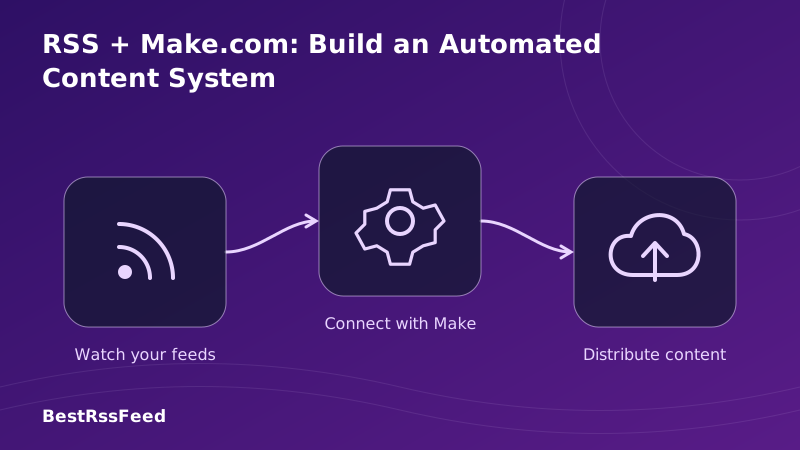
In 2026, manually monitoring RSS feeds, copy-pasting articles, and posting content across platforms is a relic of the pre-automation era. The combination of RSS feeds and Make.com — a visual, no-code automation platform — lets you build a complete content intelligence system in an afternoon, with zero lines of code.
This guide covers everything: from the architecture of a production-grade RSS automation pipeline to six ready-to-build scenario recipes, a full module reference, and advanced techniques like multi-feed aggregation, AI enrichment, and deduplication. Whether you're a solo creator, a marketing team, or an enterprise content operation, this is the definitive playbook.
22 hrs
Avg. weekly hours saved per user
290K+
Make.com RSS scenarios active
1 min
Min. polling interval (paid)
1,800+
App integrations available
1. Why RSS + Make.com Is the Most Powerful Content Stack in 2026
RSS is the world's most reliable, open-standard content delivery protocol. Make.com is the world's most flexible visual automation builder. Together, they create a content pipeline that is faster, cheaper, and more customizable than any purpose-built tool on the market.
The chart below compares the time spent on content-related tasks manually versus with an automated RSS + Make.com pipeline. The productivity gap is not incremental — it's transformative.
Manual vs. Automated Time per Task (Hours/Week)
The Explosive Growth of RSS Automation Scenarios
As no-code platforms have matured, RSS automation has moved from a developer curiosity to a mainstream productivity tool. Active Make.com scenarios involving RSS triggers have grown nearly 25× over five years.
Active Make.com RSS Scenarios (Thousands, 2022–2026)
2. Understanding the Architecture: How RSS + Make.com Works
Before building your first scenario, it's essential to understand the mental model. A Make.com scenario is a visual flowchart of modules. Each module represents an app or a logic operation. For RSS automation, the flow always begins with an RSS trigger and branches into whatever destinations you choose.
Core Make.com RSS Scenario Architecture
One scenario. Zero code. Runs automatically, around the clock.
The Five Layers of a Production RSS Pipeline
A robust automated content system isn't a single scenario — it's five interconnected layers. Understanding each layer helps you build systems that don't break, don't duplicate, and actually improve over time.
Layer 1 — Ingestion
The RSS trigger. Make.com polls your feed URL at your chosen interval. Every new item that appears since the last poll is passed downstream as a separate 'bundle'. Configure max items per run (5–10 recommended) to avoid timeouts.
Layer 2 — Filtering & Parsing
Not every item is worth acting on. Filters let you stop execution if the item's title doesn't contain a keyword, if the source is excluded, or if the publish date is outside your range. The HTTP module can fetch the full article body for richer filtering.
Layer 3 — AI Enrichment
Pass the article title, description, or full body to OpenAI (or Anthropic's Claude via HTTP) for summarization, sentiment analysis, categorization, or rewriting in your brand voice. This is what transforms raw RSS into publishable content.
Layer 4 — Routing
The Router module splits the flow into multiple parallel paths. A high-priority tech article might go to Slack AND be logged to Airtable AND create a WordPress draft simultaneously — all from one trigger.
Layer 5 — Distribution
The final action modules: post to Slack, send an email, create a CMS post, append a spreadsheet row, push to a webhook, or DM on Discord. Make.com supports 1,800+ apps at this layer.
Content Pipeline Conversion Rate
Not all ingested RSS items reach the final distribution stage. Filters, deduplication checks, and routing conditions narrow the funnel. A well-tuned pipeline typically delivers 40–50% of ingested items to their final destination — a signal-to-noise improvement over raw feed consumption.
RSS Pipeline Conversion Funnel (100 Items Ingested)
3. Setting Up Make.com for RSS: Prerequisites & First Steps
Getting Make.com ready for RSS automation takes under ten minutes. Here's the exact sequence to follow before building your first scenario.
Create a free Make.com account
Go to make.com and sign up. The free plan gives you 1,000 operations/month, scenarios with unlimited modules, and 15-minute minimum polling. No credit card required.
Identify your RSS feed URLs
Gather the feed URLs you want to monitor. Most sites append /feed or /rss to their base URL. Use BestRSSFeed's one-click discovery to find feeds for any site — including those without obvious RSS links.
Examples:
https://techcrunch.com/feed/
https://hnrss.org/frontpage
https://feeds.feedburner.com/entrepreneur/latest
Create a new scenario
In the Make.com dashboard, click 'Create a new scenario'. You'll land on the visual canvas. Click the large '+' circle in the center to add your first module.
Add the RSS 'Watch Feed Items' trigger
Search for 'RSS' in the module search. Select 'Watch RSS Feed Items'. Paste your feed URL. Set 'Maximum number of returned items' to 5 initially. Click OK and choose 'From now on' when prompted for the starting point.
Run once to verify
Click 'Run once' (bottom-left). Make.com will fetch up to 5 items from your feed and show you the data structure in the output panel. You'll see fields like title, link, pubDate, description, guid, and author — these are your mapping variables for downstream modules.
4. Complete Make.com Module Reference for RSS Workflows
Make.com's RSS integration ships with two native modules, but a real content system chains them with dozens of other modules. Here is the definitive reference for every module you'll use in a production RSS pipeline.
| Module | Type | What It Does | Free Tier |
|---|---|---|---|
| Watch RSS Feed Items | Trigger | Polls a feed URL at a set interval; fires once per new item | ✅ |
| Get RSS Feed | Action | Fetches all current items from a feed URL on demand | ✅ |
| Router | Flow | Branches a scenario into multiple parallel paths based on conditions | ✅ |
| Filter | Flow | Stops execution if conditions aren't met (keyword, date, source) | ✅ |
| OpenAI: Create Completion | Action | Sends content to GPT for summarization, rewriting, or classification | ⚠️ |
| HTTP: Make a Request | Action | Fetches full article HTML from the RSS item URL for deeper scraping | ✅ |
| Google Sheets: Add Row | Action | Appends RSS item fields to a designated spreadsheet row | ✅ |
| Slack: Create Message | Action | Posts a formatted message to any Slack channel or DM | ✅ |
| WordPress: Create Post | Action | Creates a draft or published post from RSS content + AI copy | ✅ |
| Gmail: Send Email | Action | Sends a formatted HTML email digest to one or multiple recipients | ✅ |
| Aggregator | Flow | Collects multiple bundles and merges them into one (for digests) | ✅ |
| Scheduler | Trigger | Runs the scenario at a fixed time (e.g., daily 7 AM) instead of polling | ✅ |
5. Six Production-Ready Scenario Recipes
Below are six complete workflow recipes ranging from five-minute beginner setups to advanced multi-feed AI pipelines. Each includes the module chain, configuration tips, and gotchas to avoid.
Instantly notify a Slack channel whenever a new article matches your keywords. Perfect for competitive intelligence or breaking news monitoring.
Collect the day's RSS items, summarize each one via OpenAI, bundle into a formatted digest, and send to your inbox every morning at 7 AM.
Auto-generate a tweet or LinkedIn post from each new RSS article using AI, then schedule or publish it immediately. Includes deduplication.
Log every new feed item—title, link, date, source—into a spreadsheet or database. Build a searchable content archive with zero effort.
Curate competitor or industry content: pull articles, rewrite them with AI for your brand voice, and create WordPress drafts for editorial review.
Aggregate 10+ RSS feeds into a Notion database, tag each entry by topic, sentiment, and source, then trigger a weekly AI synthesis report.
Recipe Deep Dive: RSS → AI Summary → Daily Email Digest
This is the most popular RSS automation on Make.com. It collects all new feed items throughout the day, summarizes each with OpenAI, batches them into a single formatted email, and sends it every morning. Here's the exact build sequence.
Add RSS 'Watch Feed Items' trigger
Set your feed URL. Set Max items to 20. Set the scenario schedule to run every hour (not at 7 AM — the trigger collects items and the Aggregator holds them until the Scheduler fires).
Add a Filter: Publish Date > 24 hours ago
Add a filter after the trigger. Set condition: pubDate > {{addHours(now; -24)}}. This ensures you only process items from the last 24 hours, preventing the digest from re-processing old items on subsequent runs.
Add HTTP: Make a Request (optional — full article fetch)
Map the RSS item URL to the HTTP module's URL field. Set method to GET. Enable 'Parse response'. This fetches the full article HTML for richer summarization. Skip this if RSS descriptions are detailed enough.
Add OpenAI: Create a Completion
Model: gpt-4o-mini (cost-efficient). Build your prompt using mapped variables.
System: You are a concise content analyst. Summarize articles in 2-3 sentences,
highlight the key takeaway, and rate relevance 1-10 for a [YOUR NICHE] audience.

User: Title: {{1.title}}
Content: {{1.description}}
URL: {{1.link}}Add Text Aggregator
The Aggregator collects all processed bundles into a single text blob. Set 'Source Module' to the OpenAI module. In the 'Text' field, build your row template: <b>{{1.title}}</b><br>{{3.choices[].message.content}}<br><a href='{{1.link}}'>Read more</a><br><br>
Add a Scheduler trigger or 'Sleep' module
To send the digest only at 7 AM, use a second scenario with a Scheduler trigger that calls the first scenario's webhook. Alternatively, use the built-in scenario scheduling to run the entire flow once daily at your preferred time.
Add Gmail: Send an Email
Set To: your email. Subject: 'Morning Digest — {{formatDate(now; "DD MMM YYYY")}}'. Body (HTML): map the Aggregator output. Click 'Run once' to test. Check your inbox within seconds.
6. Most Popular RSS Integration Destinations
Where do Make.com users send their RSS content after processing? The distribution below is based on observed scenario templates and community data from Make.com's public ecosystem.
Most Popular RSS Automation Destinations (2026)
Platform-Specific Setup Ease vs. Popularity
Some destination platforms are easy to set up but less widely used; others are popular but require more configuration. The chart below maps both dimensions to help you prioritize your first integrations.
Destination Platform: Setup Ease vs. Popularity (Score 0–100)
7. Make.com vs. Zapier vs. n8n for RSS Automation
Not all automation platforms handle RSS equally. Make.com, Zapier, and n8n (self-hosted) each have distinct strengths. If you're deciding which platform to invest in, the comparison below covers the dimensions that matter most for RSS-first workflows.
| Feature | Make.com | Zapier | n8n |
|---|---|---|---|
| Free ops/month | 1,000 | 100 | Unlimited (self-hosted) |
| Min. polling interval (free) | 15 min | 15 min | 1 min |
| Visual canvas builder | ✅ Advanced | ⚠️ Linear | ✅ Advanced |
| Router / branching | ✅ | ❌ (paid only) | ✅ |
| Aggregator module | ✅ Native | ❌ | ✅ |
| Iterator module | ✅ Native | ❌ | ✅ |
| Native RSS module | ✅ Full | ⚠️ Basic | ✅ Full |
| AI/OpenAI module | ✅ Native | ✅ Native | ✅ Native |
| Paid plan starting price | $9/mo | $19.99/mo | Free (self-host) |
| No-code friendly | ✅ High | ✅ Very high | ⚠️ Medium |
| Error handling | ✅ Advanced | ⚠️ Basic | ✅ Advanced |
Platform Radar: Make.com vs. Zapier vs. n8n (RSS Focus)
8. Advanced Techniques: Multi-Feed Aggregation, AI Enrichment & Deduplication
Once you've mastered the basics, these advanced patterns separate a toy automation from a production-grade content intelligence system.
8a. Multi-Feed Aggregation from Google Sheets
Managing 20+ RSS feeds as individual scenarios is unsustainable. The scalable approach: store all feed URLs in a Google Sheet and process them dynamically in a single scenario.
Create a Google Sheet with two columns: 'Feed URL' and 'Active'
Column A: the RSS feed URL. Column B: TRUE or FALSE to enable/disable without deleting. Add all your feeds as rows.
Scenario starts with Google Sheets: Search Rows
Set filter: Active = TRUE. This returns only enabled feeds. Map the result count to drive your Iterator.
Add an Iterator module
Source: the Google Sheets output array. The Iterator fires once per row, passing the feed URL as a variable downstream.
Add RSS: Get RSS Feed
Map the Iterator's Feed URL variable to the URL field. Set Max items. This fetches items from each feed in turn.
Process items and Aggregate
After filtering and AI enrichment, use an Aggregator to collect all results across all feeds into a single bundle for distribution.
8b. Deduplication with Airtable or Google Sheets
Make.com's RSS trigger handles basic deduplication by cursor, but across multiple scenarios or manual re-runs, duplicates can slip through. Here's the bulletproof approach.
Deduplication Pattern
1. After the RSS trigger, add Google Sheets: Search Rows. Search for the item's guid field in a 'Processed IDs' sheet.
2. Add a Filter: continue only if the search returns 0 results (item not yet seen).
3. At the end of the scenario, add Google Sheets: Add Row to log the guid and timestamp.
4. Result: Zero duplicates, ever, even across multiple runs or scenario clones.
8c. Sentiment Analysis and Auto-Tagging
Add a second OpenAI call after your summary to classify each article. This powers downstream routing — positive content goes to your marketing Slack, negative content (e.g., a competitor crisis) goes to your executive alert channel.
OpenAI Prompt: Sentiment + Category Tagger
System: You are a content classifier. Respond ONLY with valid JSON. No markdown.

User: Classify this article:
Title: {{1.title}}
Summary: {{3.choices[].message.content}}

Return:
{
  "sentiment": "positive" | "neutral" | "negative",
  "category": "product_launch" | "funding" | "crisis" | "research" | "opinion" | "other",
  "urgency": "high" | "medium" | "low",
  "relevance_score": 1-10
}
Use Make.com's JSON parser module to parse the response, then route using the Router module based on sentiment and urgency values.
8d. Rate Limiting and Error Handling
Production scenarios need to handle API rate limits gracefully. Make.com provides a built-in retry mechanism, but add these safeguards for reliability:
Set scenario max errors to 3
In Scenario Settings > Advanced, set 'Max number of errors' to 3 before stopping. This prevents a single bad RSS item from killing the entire run.
Add a 'Sleep' module before OpenAI calls
If processing many items per run, add a 1-second sleep between OpenAI calls to stay within rate limits on lower API tiers.
Enable 'Incomplete executions'
In settings, turn on 'Store incomplete executions'. Failed bundles are saved and can be re-run manually after fixing the error.
Set up email error notifications
In Scenario Settings > Notifications, add your email to be alerted when a scenario fails. React to broken feeds or expired API keys before they cause data gaps.
9. Real-World Use Cases and ROI
The theoretical benefits of RSS automation are compelling. The real-world numbers are even better. The table below shows estimated weekly time savings and annual ROI (at $50/hour knowledge worker cost) for the five most common use cases.
Estimated Annual Time Savings by Use Case (Hours Saved/Week × 52)
| Use Case | Hours Saved/Week | Annual Hours Saved | Annual Value (@$50/hr) |
|---|---|---|---|
| Newsletter digest | 6h | 312h | $15,600 |
| Social auto-post | 4h | 208h | $10,400 |
| CMS content sync | 5h | 260h | $13,000 |
| Competitor monitor | 3h | 156h | $7,800 |
| Slack news alerts | 2h | 104h | $5,200 |
10. Make.com Pricing for RSS Automation: What Plan Do You Need?
Make.com's pricing is based on operations — each module execution in a scenario is one operation. A simple RSS → Slack scenario (2 modules) costs 2 operations per new item. Understanding your volume lets you pick the right plan from day one.
| Plan | Operations/mo | Min. Interval | Price | Best For |
|---|---|---|---|---|
| Free | 1,000 | 15 min | $0 | 1–2 simple RSS scenarios, hobbyist use |
| CoreRecommended | 10,000 | 1 min | $9/mo | 5–10 scenarios, near-real-time monitoring |
| Pro | 40,000 | 1 min | $16/mo | 20+ feeds, AI enrichment, multi-destination |
| Teams | 800,000 | 1 min | $29/mo | Enterprise content ops, team collaboration |
11. Integrating BestRSSFeed with Make.com
BestRSSFeed's RSS Feed Flow platform is purpose-built to supercharge Make.com integrations. Instead of hunting for obscure feed URLs or scraping sites manually, BestRSSFeed generates clean, reliable feed URLs that plug directly into Make.com's RSS trigger.
- RSS Builder — generates a Make-ready feed URL from any webpage, even ones without native RSS support. Paste the URL from BestRSSFeed directly into Make.com's trigger.
- Smart Bundles — combine 10+ sources into a single aggregated feed URL. One Make.com trigger monitors them all, massively reducing your operation count.
- Newsletter-to-RSS Bridge — converts email newsletters into feed URLs. Use them in Make.com to trigger on newsletter drops without clogging your inbox.
- Custom Alerts — set keyword alerts in BestRSSFeed and receive them as pre-filtered RSS items into Make.com, reducing the filtering burden in your scenarios.
- Reliable Feed URLs — BestRSSFeed's feeds are monitored for uptime. If an upstream site changes its feed URL, BestRSSFeed updates automatically — no broken Make.com triggers.
12. Troubleshooting Common Make.com RSS Issues
Scenario fires but no items are returned
The feed may have no new items since the last run cursor. Click 'Choose where to start' and select 'All' to re-process historical items for testing. In production, this means the feed simply hasn't published new content.
RSS trigger only returns 1 item per run, even though the feed has many new posts
Increase 'Maximum number of returned items' in the RSS module config. Default is often 1. Set to 10–20 for active feeds. Note that Make processes each item as a separate bundle, so each item counts as separate operations.
Items are being re-processed on every run (duplicates)
This happens when the feed doesn't include unique GUIDs or when pub dates are missing. Add the deduplication pattern described in Section 8b using a Google Sheet to track processed GUIDs explicitly.
OpenAI module returns 'Rate limit exceeded' error
Add a 'Sleep' module (set to 1000–2000ms) before the OpenAI call. For high-volume scenarios, switch to OpenAI Batch API via HTTP module, which is cheaper and has higher limits.
Scenario fails silently — no errors, no output
Check your Filter conditions. If no item passes the filter, Make considers the execution successful with zero bundles — it won't throw an error. Enable 'Store incomplete executions' and add a logging step to diagnose filter matches.
The RSS feed URL works in a browser but fails in Make.com
Some feeds require authentication headers or block automation user agents. Use the HTTP module instead of the RSS module, add appropriate headers, and parse the XML response manually with Make's XML parser.
13. Frequently Asked Questions
14. The Future of RSS Automation: What's Coming in 2027
The RSS + Make.com stack is already powerful, but several trends will make it even more capable in the year ahead.
Make.com is deepening its OpenAI and Anthropic integrations. Expect native Claude 4.6 and GPT-4o modules with structured output support — eliminating the need for JSON parsing hacks.
As JSON Feed adoption grows (a modern, JSON-based RSS alternative), Make.com's RSS module will likely gain native JSON Feed parsing, making it easier to handle feeds from modern publishing platforms.
Make.com is piloting 'AI Agents' that can reason through multi-step scenarios autonomously. For RSS, this means agents that dynamically choose routing, enrichment, and distribution strategies per article.
Enterprise-grade scenarios will increasingly use on-premises LLMs (via HTTP calls to local Ollama or LM Studio instances) to process sensitive RSS content without sending data to third-party AI APIs.
15. Conclusion: Your RSS Feeds Are a Dormant Automation Engine
RSS feeds are not just a reading tool — they are a structured, real-time data stream from the sources that matter to you. Make.com is the engine that transforms that stream into automatic action: alerts, summaries, published posts, database entries, and team notifications, all without a single line of code.
The combination is uniquely powerful because it respects the open-standard DNA of RSS: no algorithm controls what you receive, no platform can revoke your access, and no vendor lock-in prevents you from migrating. The pipeline you build today will still work in ten years.
Start with one scenario — RSS to Slack is the fastest win. Then stack layers: add a filter, add AI summarization, add a second destination. Within a few weeks, you'll have a content intelligence system that would have required a full-time analyst just five years ago.
Ready to build your first RSS automation?
Start with BestRSSFeed to get clean, reliable feed URLs — then connect them to Make.com in minutes.