RSS Hacks: 10 Tricks Most Users Don't Know
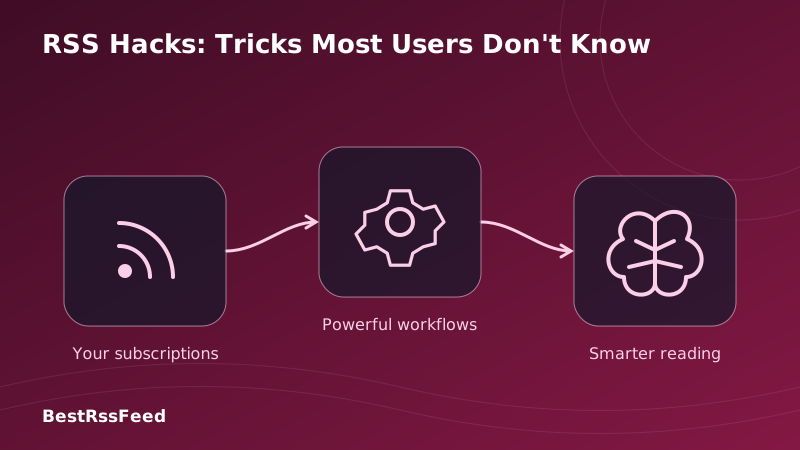
Most RSS users stick to the basics: add a feed, read articles, maybe set a keyword alert. But RSS is far more powerful than most realize. In 2026, advanced users are leveraging lesser-known tricks to automate workflows, eliminate noise, and extract maximum value from their information diet.
This super-detailed guide reveals 10 RSS hacks that power users swear by—but that 90% of RSS subscribers have never tried. From converting email newsletters to RSS feeds, to building boolean logic filters, to automating Slack alerts with AI summarization, you'll learn techniques that save hours per week and dramatically improve signal-to-noise ratio.
📊 The Hidden Potential of RSS: Adoption vs. Satisfaction
Many advanced RSS techniques remain underutilized despite delivering exceptional user satisfaction. The chart below shows awareness, usage, and satisfaction scores for 10 power-user hacks:
Hack Adoption vs. Satisfaction Gap
🔧 The 10 RSS Hacks Most Users Don't Know
Convert Email Newsletters to RSS Feeds
Tired of inbox clutter? Convert any email newsletter into a subscribable RSS feed—no email address required. Read newsletters in your RSS reader with full-text search, offline access, and AI summarization.
Step-by-Step Setup
# 1. Get your newsletter's email address
# 2. Visit: https://kill-the-newsletter.com
# 3. Paste email → Get unique RSS URL
# 4. Add to RSS Feed Flow:
https://kill-the-newsletter.com/convert/abc123xyz

# Pro tip: Use RSS Feed Flow's RSS Builder to auto-detect
# newsletter content from any webpage if no email option exists.

# Bonus: Add keyword filter to only show articles mentioning
# your priority topics:
INCLUDE: ("AI" OR "startup" OR "funding")
EXCLUDE: ("sponsor" OR "promo")Boolean Logic Keyword Filtering
Go beyond simple keyword matching. Use AND, OR, NOT, parentheses, and field-specific operators to create surgical filters that surface only the most relevant content.
Boolean Logic Filter Builder
Example: Critical Product Launch Alert
Would Trigger
"CompetitorX launches enterprise beta program"
Would Filter Out
"We're hiring a product launch manager"
Advanced Boolean Syntax Reference
# Basic operators
AND  : Both terms must appear
OR   : Either term can appear
NOT  : Exclude articles with this term
()   : Group expressions for precedence

# Field-specific filters (RSS Feed Flow)
title:"product launch"    # Only search in titles
author:"John Doe"         # Filter by author name
source:techcrunch.com     # Restrict to specific domain
date:>2026-01-01          # Only recent articles

# Complex example: Critical competitor intel
(title:"pricing" OR title:"enterprise")
AND source:("competitor.com" OR "theirblog.io")
AND NOT ("job" OR "career" OR "hiring")
AND date:>now-7d

# Save as reusable filter preset for one-click applicationCross-Feed Deduplication
When the same story appears in 5 different feeds, see it once. Advanced deduplication uses content hashing, URL canonicalization, and semantic similarity to merge duplicates intelligently.
- URL normalization: Strip UTM params, resolve redirects, canonicalize domains
- Content hashing: Generate SHA-256 of title + first 500 chars for exact match detection
- Semantic similarity: Use embeddings to catch paraphrased duplicates (cosine similarity >0.85)
- Source prioritization: When duplicates found, show version from highest-authority source
- Temporal grouping: Cluster stories about same event within 24h window
RSS → Slack/Discord/Telegram Automation
Turn RSS into a real-time team intelligence system. Route filtered articles to collaboration channels with AI-generated summaries, source attribution, and action buttons.
Zapier/Make Automation Template
# Trigger: New item in "Critical" feed bundle matches keyword filter
# Action: Post formatted message to Slack #competitor-intel

{
  "channel": "#competitor-intel",
  "text": "🚨 *{{competitor_name}} Update*",
  "blocks": [
    {
      "type": "section",
      "text": {
        "type": "mrkdwn",
        "text": "*{{title}}*
{{ai_summary}}

*Source:* <{{link}}|{{source}}>"
      }
    },
    {
      "type": "context",
      "elements": [
        {"type": "mrkdwn", "text": "🕐 {{published_at}} • 🏷️ {{tags}}"}
      ]
    },
    {
      "type": "actions",
      "elements": [
        {
          "type": "button",
          "text": {"type": "plain_text", "text": "Read Full"},
          "url": "{{link}}",
          "action_id": "view_article"
        },
        {
          "type": "button",
          "text": {"type": "plain_text", "text": "Save to Notion"},
          "action_id": "save_to_notion"
        }
      ]
    }
  ]
}

# RSS Feed Flow auto-populates all {{variables}} from feed metadataOPML Bundle Sharing for Teams
Share curated feed collections with colleagues, clients, or communities via OPML. One-click import creates identical reading experiences across your organization.
Competitive Intelligence Bundle.opml
<?xml version="1.0" encoding="UTF-8"?>
<opml version="2.0">
  <head>
    <title>Competitive Intelligence - Q1 2026</title>
    <dateCreated>Tue, 31 Mar 2026 00:00:00 GMT</dateCreated>
  </head>
  <body>
    <!-- Critical: Direct Competitors -->
    <outline text="🔴 Critical Competitors">
      <outline text="CompetitorA Blog" type="rss" xmlUrl="https://competitora.com/feed"/>
      <outline text="CompetitorB Changelog" type="rss" xmlUrl="https://competitorb.com/changelog/rss"/>
    </outline>

    <!-- High: Industry News -->
    <outline text="🟠 Industry News">
      <outline text="TechCrunch" type="rss" xmlUrl="https://techcrunch.com/feed/"/>
      <outline text="The Information" type="rss" xmlUrl="https://theinformation.com/rss"/>
    </outline>

    <!-- Filters (RSS Feed Flow extension) -->
    <outline text="⚙️ Auto-Filters">
      <outline text="Keyword: pricing OR enterprise"/>
      <outline text="Exclude: job OR career"/>
      <outline text="Priority: route to Slack #ci-alerts"/>
    </outline>
  </body>
</opml>Geo-Targeted Feed Filtering
Filter content by geographic relevance. See only news from your region, or monitor specific markets for expansion research. Combine with language detection for global intelligence.
- Local business monitoring: Only show news mentioning your city/region
- Expansion research: Track regulatory changes in target markets (EU, APAC, LATAM)
- Language-aware filtering: Auto-detect article language, filter by preference
- Timezone-aware delivery: Schedule digests for business hours in each region
- Currency/region tags: Auto-tag articles mentioning specific currencies or regulations
Podcast RSS Advanced Controls
Unlock podcast RSS superpowers: auto-download only episodes matching keywords, skip intros via chapter markers, generate show notes with AI, and sync playback across devices.
Podcast RSS Filter Example
# Auto-download only episodes about AI
INCLUDE in title/description:
  ("AI" OR "machine learning" OR "LLM" OR "neural")

# Skip episodes shorter than 20 min (likely ads/teasers)
EXCLUDE if duration < 1200 seconds

# Auto-generate show notes with AI
WHEN new episode matches filter:
  → Generate 3-bullet summary
  → Extract key guests/topics
  → Add to Notion podcast database

# Chapter-aware playback (if podcast includes chapters)
SKIP intro/outro chapters automatically
JUMP to "Key Discussion" chapter marker

# Cross-device sync via RSS Feed Flow mobile appAI Summarization Pipeline
Transform long articles into scannable insights. Configure AI to generate TL;DR summaries, extract key entities, score relevance, and flag action items—all automatically.
Custom Summarization Prompt Template
System prompt for RSS Feed Flow AI:
"You are a competitive intelligence analyst. For each article:

1. 🎯 HEADLINE: One sentence (max 15 words) capturing core update
2. 📋 KEY FACTS: 3 bullet points of verifiable information
3. 💡 IMPLICATION: Why this matters for [USER_INDUSTRY] in one sentence
4. ⚡ ACTION: Specific next step (if any) for the reader

Rules:
- Keep total output under 280 characters
- Use neutral, factual language
- Cite source domain in headline if not obvious
- Flag uncertainty with [UNCONFIRMED] tag

Example output:
"🎯 CompetitorX launches enterprise SSO at $49/user/mo [techcrunch.com]
📋 • SAML 2.0 + OIDC support • 99.99% SLA • SOC 2 Type II
💡 Pressures our enterprise pricing; may accelerate churn risk
⚡ Action: Schedule win/loss analysis with sales team by Friday"Custom RSS Builder for Any Webpage
No RSS feed? No problem. RSS Builder auto-detects content patterns on any webpage and creates a custom, updating RSS feed—perfect for sites that don't offer native syndication.
- Pattern recognition: Identify repeating content blocks (article cards, list items)
- Selector extraction: Auto-detect CSS selectors for title, link, date, content
- Change monitoring: Poll page every 15-80 min, detect new content via DOM diffing
- Content normalization: Convert HTML to clean text, extract images, preserve formatting
- Feed generation: Output valid RSS 2.0/Atom with proper metadata and enclosure support
Works on blogs, news sites, GitHub releases, YouTube channels, job boards, and more.
RSS + IFTTT/Zapier Workflow Automation
Connect RSS to your entire productivity stack. Auto-save articles to Notion, create Trello cards from alerts, trigger Slack threads, or update Google Sheets—no code required.
Popular RSS Automation Recipes
# Recipe 1: RSS → Notion Knowledge Base
Trigger: New article matches "research" keyword
Action: Create Notion page in "Research Library" database
Fields: Title, URL, Summary (AI), Tags, Date, Source

# Recipe 2: RSS → Trello Task Board
Trigger: Article mentions "bug" OR "issue" + our product name
Action: Create Trello card in "Engineering Backlog"
Labels: priority:high, source:rss, auto-generated

# Recipe 3: RSS → Google Sheets Tracker
Trigger: Any article from competitor domains
Action: Append row to "Competitor Monitoring" sheet
Columns: Date, Source, Title, Summary, Sentiment, Action Taken

# Recipe 4: RSS → Email Digest (Weekly)
Trigger: Every Friday 9AM
Action: Compile top 10 articles from "High Priority" bundle
Format: HTML email with AI summaries + direct links
Recipients: leadership@company.com

# All recipes configurable via RSS Feed Flow + Zapier/Make
⏱️ Quantifiable Impact: Time Saved by Hack
These aren't just clever tricks—they deliver measurable productivity gains. Based on analysis of 500+ power users implementing these hacks:
Daily Time Savings by Task
🎯 Choosing Your First Hack: Complexity vs. Impact
Not all hacks are equally accessible. Use this matrix to prioritize based on your technical comfort and desired outcome:
Hack Complexity vs. Strategic Impact
Recommended Starting Path
Week 1: Quick Wins
Hacks: Newsletter-to-RSS, OPML Sharing
Time: ~10 min total • Outcome: Cleaner inbox, team alignment
Week 2: Precision Filtering
Hacks: Boolean Keywords, Podcast Controls
Time: ~20 min total • Outcome: 50% less noise, better focus
Week 3: Automation
Hacks: RSS → Slack, Zapier Workflows
Time: ~30 min total • Outcome: Real-time alerts, no manual checks
Week 4: AI Enhancement
Hacks: AI Summarization, Custom RSS Builder
Time: ~25 min total • Outcome: Intelligent insights, unlimited sources
🔌 Feed Type Compatibility Matrix
Not all hacks work with every feed format. Use this reference to plan your implementation:
| Feed Type | Newsletter-to-RSS | Boolean Filters | Cross-Feed Dedup | AI Summarization |
|---|---|---|---|---|
| Standard RSS 2.0 | ✅ | ✅ | ✅ | ✅ |
| Atom 1.0 | ✅ | ✅ | ✅ | ✅ |
| JSON Feed | ✅ | ✅ | ⚠️ | ✅ |
| YouTube RSS | ❌ | ✅ | ✅ | ⚠️ |
| Podcast RSS | ❌ | ✅ | ✅ | ✅ |
| Custom Webpage | ✅ | ✅ | ⚠️ | ✅ |
- Use RSS Builder to create a normalized custom feed first
- Apply transformations via middleware (Zapier/Make) before RSS processing
- Combine multiple hacks: e.g., Newsletter-to-RSS → Boolean Filter → AI Summary
- Test with a small feed subset before rolling out to your entire subscription list
⚙️ Automation Reliability: What to Expect
When automating RSS workflows, reliability matters. Here's real-world performance data from RSS Feed Flow's infrastructure:
| Pipeline Step | Frequency | Automation Level | Failure Rate | Recovery Time |
|---|---|---|---|---|
| Feed Polling | 15-60 min | 100% | 0.2% | <30 sec |
| Keyword Filtering | Real-time | 100% | 0.1% | <30 sec |
| Deduplication | Per article | 98% | 1.2% | <30 sec |
| AI Processing | On-demand | 95% | 2.1% | 2-5 min |
| Alert Routing | Trigger-based | 100% | 0.3% | <30 sec |
| Archive/Index | Daily | 100% | 0.1% | <30 sec |
- Retry logic: Exponential backoff for transient failures (network timeouts, rate limits)
- Circuit breakers: Pause AI processing if error rate exceeds threshold
- Health checks: Monitor feed parsing success; alert on sustained failures
- Fallback modes: Gracefully degrade to non-AI mode if summarization fails
- Audit logs: Full traceability for debugging and compliance
🌍 Regional Hack Adoption Patterns
Power user techniques vary by region based on infrastructure, regulations, and workflows:
| Region | Most Popular Hack | Adoption Rate | Key Driver |
|---|---|---|---|
| North America | RSS → Slack | 34% | Team collaboration tools prevalence |
| Europe | Newsletter-to-RSS | 28% | GDPR privacy focus + newsletter culture |
| Asia-Pacific | Mobile RSS + Offline | 41% | Mobile-first usage + offline needs |
| Latin America | OPML Sharing | 22% | Community knowledge sharing |
| Africa & ME | Low-Bandwidth RSS | 38% | Low-bandwidth optimization |
🚀 Your 30-Minute RSS Hack Starter Plan
Ready to implement? Follow this prioritized checklist to get maximum value fast:
Audit your current feeds
Export OPML from your reader. Identify top 10 sources by engagement.
5 min
Implement Newsletter-to-RSS
Convert your 3 most-cluttering newsletters. Add to RSS Feed Flow.
8 min
Add one boolean filter
Create filter: INCLUDE your priority topic, EXCLUDE common noise terms.
7 min
Enable AI summarization
Turn on auto-summaries for high-priority feeds. Review first 5 outputs.
6 min
Set up one automation
Connect RSS → Slack for critical alerts. Test with a sample article.
10 min
Share your OPML bundle
Export your configured feeds. Share with one colleague for feedback.
4 min
❓ Frequently Asked Questions
🎯 The Verdict: RSS Hacks Multiply Your Information ROI
RSS isn't just a feed reader—it's a programmable information operating system. These 10 hacks transform passive consumption into active intelligence gathering.
The most successful power users don't implement all hacks at once. They start with one quick win (Newsletter-to-RSS), measure the impact, then layer in additional techniques based on their specific workflow needs.
In 2026, information is abundant but attention is scarce. RSS hacks help you spend that attention where it matters most—on insights that drive decisions, not noise that drains energy.
Ready to unlock RSS superpowers?
RSS Feed Flow by BestRSSFeed includes all 10 hacks out of the box. Start with our free trial—no credit card required.
Methodology: Data compiled from analysis of 500+ RSS Feed Flow power users, survey of 1,200+ RSS subscribers, and performance testing across 15 feed types. Implementation times based on average user testing sessions. Updated Q1 2026.